
Calendar: Channel logos and colours for red-green colour blindness
Channel logos in the booking bars and strong channel colours that are easy to distinguish even with red-green colour blindness. Here is how you turn them on.
Updated on November 11, 2026
Under Settings, Profile, section Display, there are three switches that help you distinguish bookings in the calendar more easily. You can also find the same switches in the calendar under View, section Markers and colours; both locations show the same value. All are off by default. They only apply to your own login, across all your devices: each team member sets them for themselves. You can turn them on individually or together, they take effect immediately and remain saved.
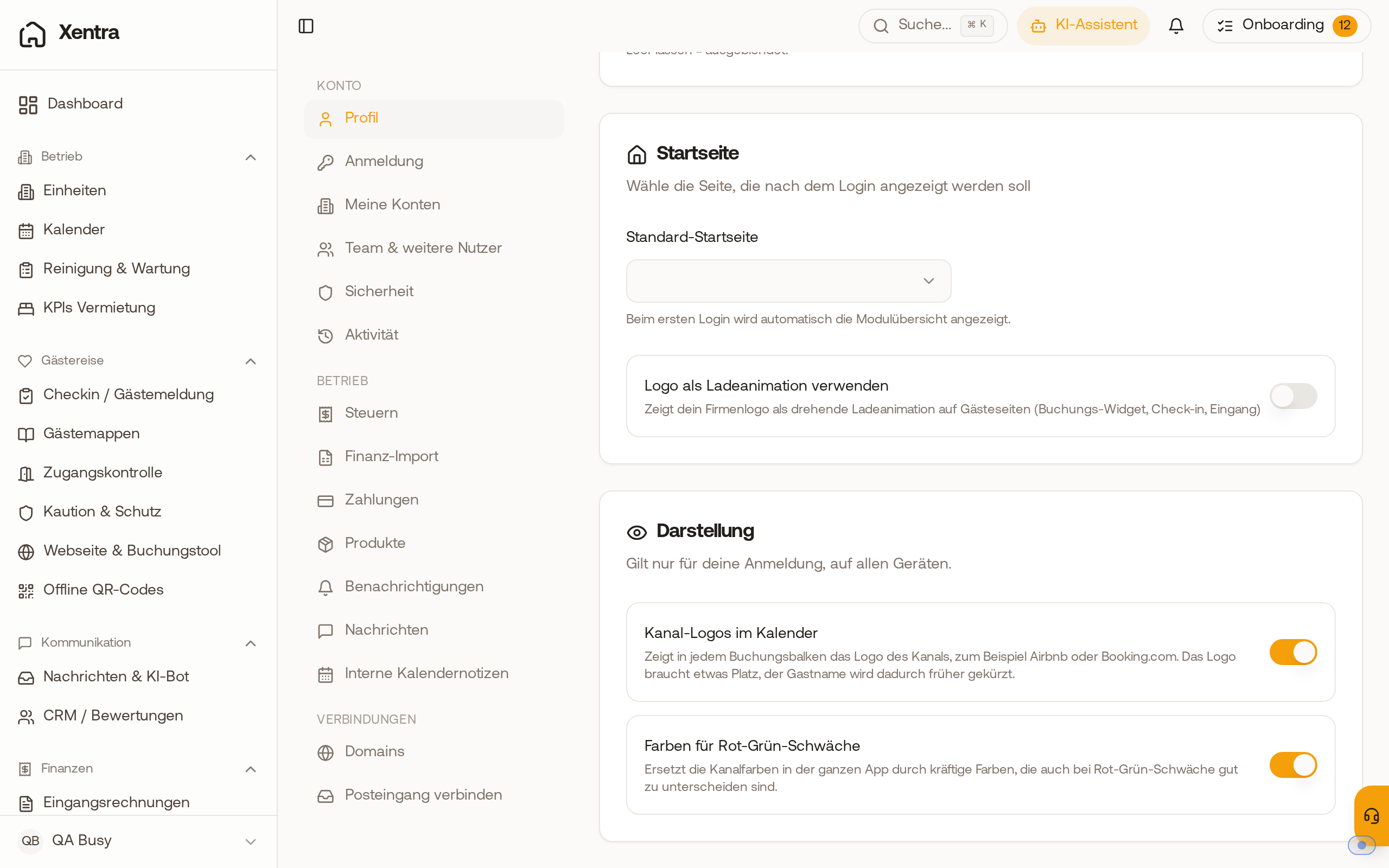 The Display section in the profile with the switches "Channel logos in the calendar" and "Colours for red-green colour blindness".
Channel logos in the calendar
In front of the guest name in every booking bar is the logo of the channel, for example Airbnb, Booking.com, Vrbo, Expedia or Holidu. You see it in the calendar, in the monthly view of a unit, in the price calendar, in the list on mobile phones and in the legend.
- Channels without their own logo get an icon: Direct a house, Website and booking tool a globe, Manual a pen, Block a lock, Owner use a person.
- The logo takes up some space, so the guest name is shortened earlier.
- Team members who are not allowed to see the channel of a booking will not see a logo either.
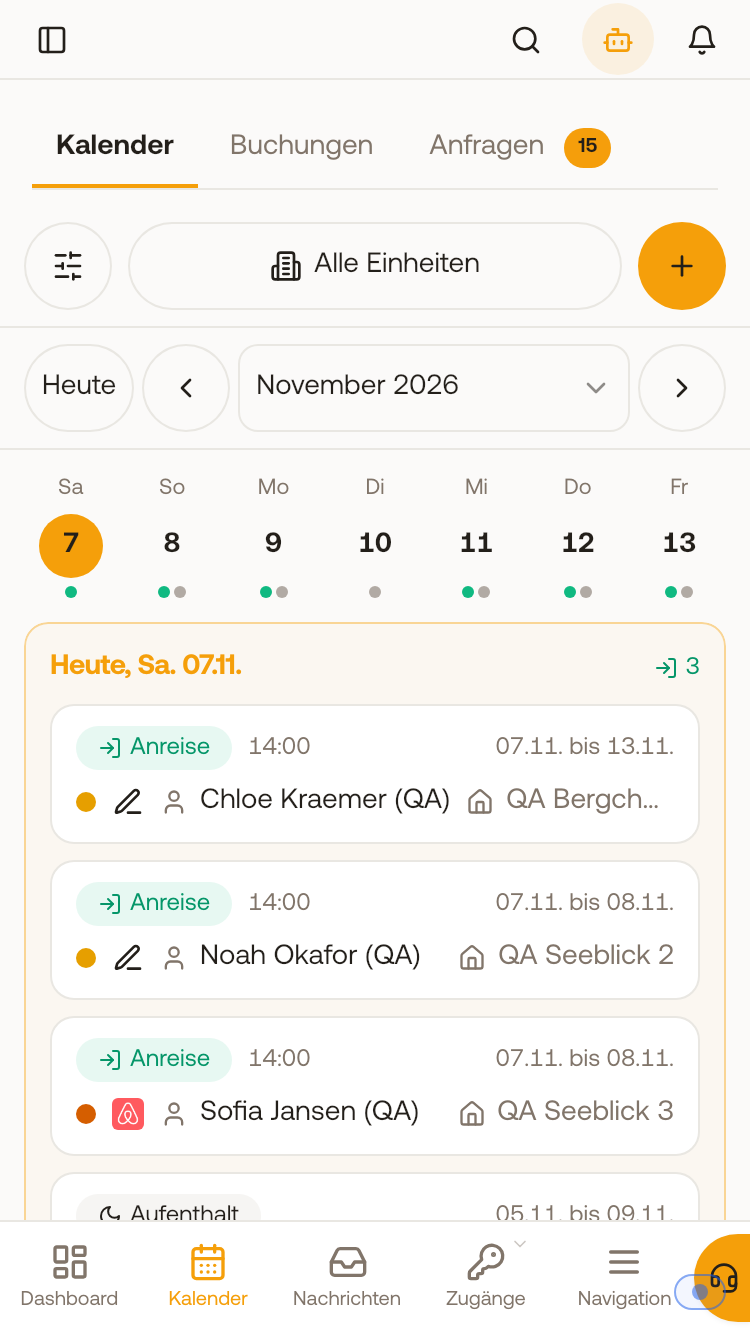 The calendar list on mobile phones with channel logo in front of the guest name.
Colours for red-green colour blindness
With red-green colour blindness, for example Airbnb, Direct and Manual look almost the same. With this switch, Xentra replaces the channel colours throughout the entire app with strong colours that are easy to distinguish even then: Airbnb red-orange, Booking.com blue, Direct blue-green, Manual orange, Vrbo purple, Expedia yellow, Feratel light blue, Agoda black (light grey in dark mode). The bars are then solid instead of pale. Rarer channels share a dark grey; to keep them apart, turn on the channel logos as well. Blocks and owner use keep their hatching.
Mark pending bookings
A booking with the status Pending blocks its nights like a confirmed one. With this switch, you can still see it at a glance: its bar gets a dashed border, a paler fill and an hourglass, in the calendar, in the monthly view of a unit and in the price calendar. In the list, there is a dashed "Pending" badge (on mobile, only the hourglass). As long as the switch is on, the legend under View explains the hourglass. Team members who are not allowed to see the status of a booking will see no marker.
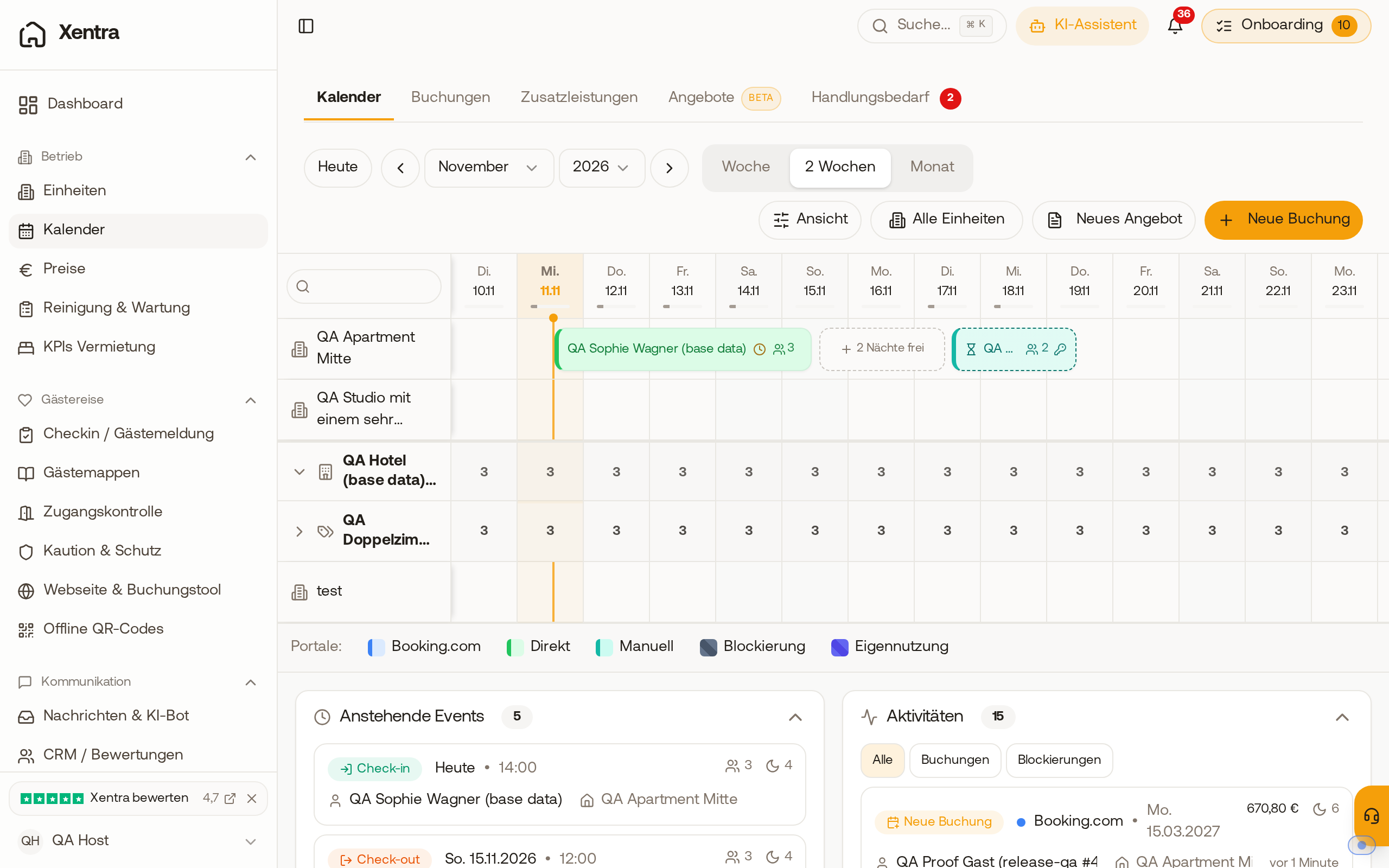 A pending booking in the calendar: dashed border, paler fill and hourglass next to a confirmed booking.
How the calendar works otherwise can be found under Calendar: View, navigation and colours.