
Pre-fill the booking tool via a link: the URL parameters of the booking page
Which parameters the booking page accepts in the URL to pre-fill unit, date range and number of guests.
Updated on October 19, 2026
Pre-fill the booking tool via a link
The booking page (/de/book/<token> or your slug address) accepts parameters in the URL. This way, a guest who has already picked dates and number of guests on your own website lands in the pre-filled booking tool with one click.
Example:
/de/book/TOKEN?unit=UUID&checkin=2026-11-02&checkout=2026-11-08&adults=4&children=1&infants=1&dogs=1&autoSearch=true
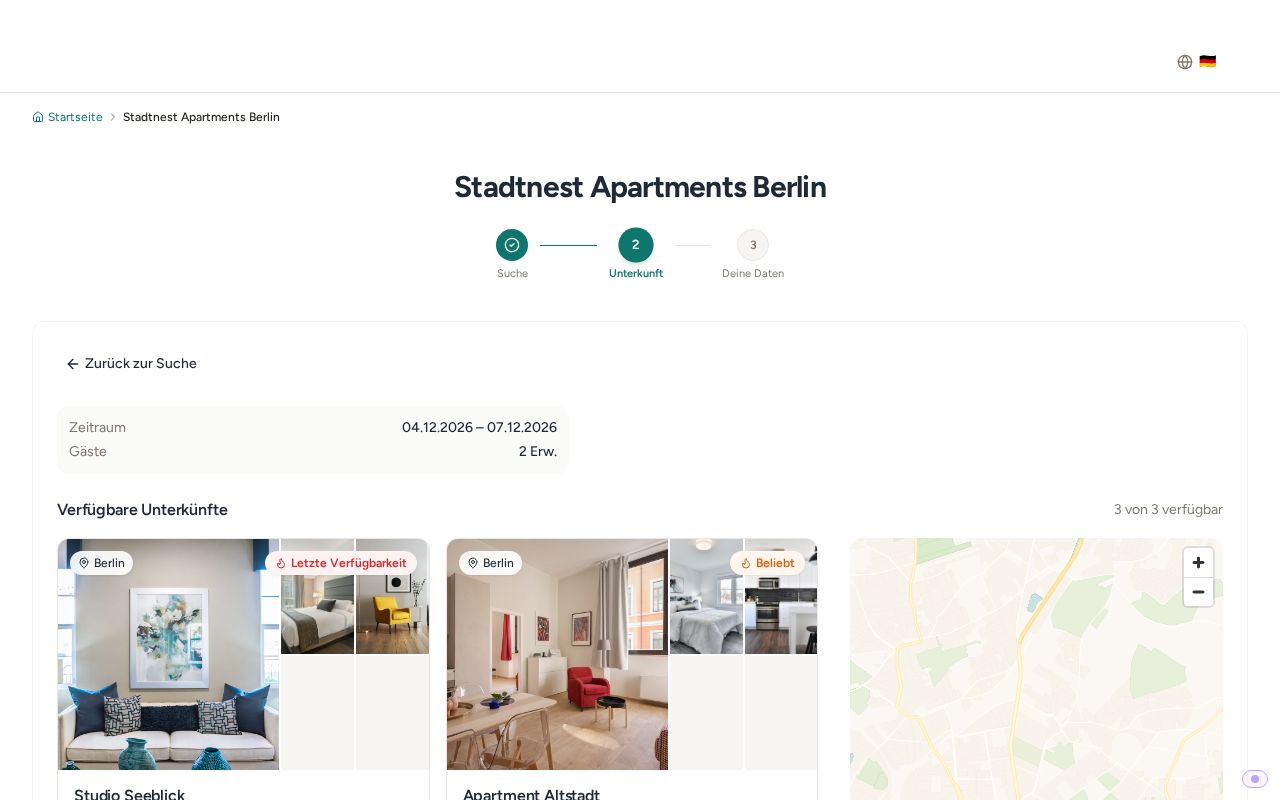 Booking page pre-filled with date range and number of guests
The parameters
| Parameter | Meaning |
|---|---|
unit |
The UUID of the unit to be preselected |
checkin / arrival |
Arrival date as JJJJ-MM-TT. Both spellings are equivalent |
checkout / departure |
Departure date as JJJJ-MM-TT. Both spellings are equivalent |
adults |
Number of adults |
children |
Number of children |
infants |
Number of infants |
dogs |
Number of dogs. Only has an effect if dogs are enabled in the guest categories of the booking tool |
cluster |
Limits the selection to one unit group (see unit grouping) |
autoSearch=true |
Starts the search immediately instead of only filling in the fields |
browse=true |
Opens the accommodation catalog directly instead of the search form |
embed=true |
Embed mode, if you embed the page in your own website yourself |
bg=ffffff |
Background color as a hex value without # |
lang=de |
Language, only for the link without a language code (/book/<token>). /de/book/... already sets the language |
The full list with examples for your web agency is also in the API documentation at https://rest.myxentra.com/docs in the section “Website integration”.
Where do I find the UUID of a unit?
Xentra does not show the UUID anywhere in the interface. There are two ways:
- The finished link per unit. Open your booking page and click the unit. The address in the browser is then the unit's own address (
/de/book/<Kürzel>/<Land>/<Ort>/<Wohnung>) and can be copied directly. For most website builders this link is enough. If you call the page with?unit=<UUID>, the booking tool rewrites the address to this path anyway. - Via the data API.
GET /api/v1/propertiesreturns the fieldidfor each unit, and that is exactly the UUID that the parameterunitexpects.
If your provider absolutely needs the plain ID and you do not have an API key, write to us at hello@support.myxentra.com and we will send you the list.
What has no parameter
- Discount code: the guest enters it in the booking tool themselves; it cannot be set via the URL.
- Add-on services: these are only offered in the online check-in, not in the booking tool. Preselecting them via the URL is therefore not possible.
Number of guests
If the number of guests in the link is above a unit's limit, the booking tool shows “Maximum number of guests: N” for that unit instead of a price. Where you set the limit is described in the article “Booking tool” under “Number of guests, times and minimum stay”.