
iCal export: Calendar link per unit
Where you create the iCal export URL per unit, what is in the feed, and why portals fetch it with a delay.
Updated on November 12, 2026
With an iCal export, you pass your occupancy from Xentra on to a portal or to a calendar app, for example to a portal without a direct connection or to your Google Calendar.
Where you find the link
Under Integrations, tab "PMS & iCal", open the iCal entry (directly: open iCal), click "Manage iCal" there, and select the "Export" tab in the "Manage iCal calendars" window.
- Under "Property", select the unit.
- Click "Create export URL".
- Copy the link under "Active export URLs" and enter it into the portal or calendar app.
Before that, no link exists and the list is empty. That is the most common reason why hosts do not find anything here. For portals like Airbnb, VRBO, or Booking.com, you create a separate export per unit, so nine exports for nine units. The "All properties" option is only intended for calendar apps like Outlook or Google Calendar, not for portals. On each export, you can see how often it was fetched.
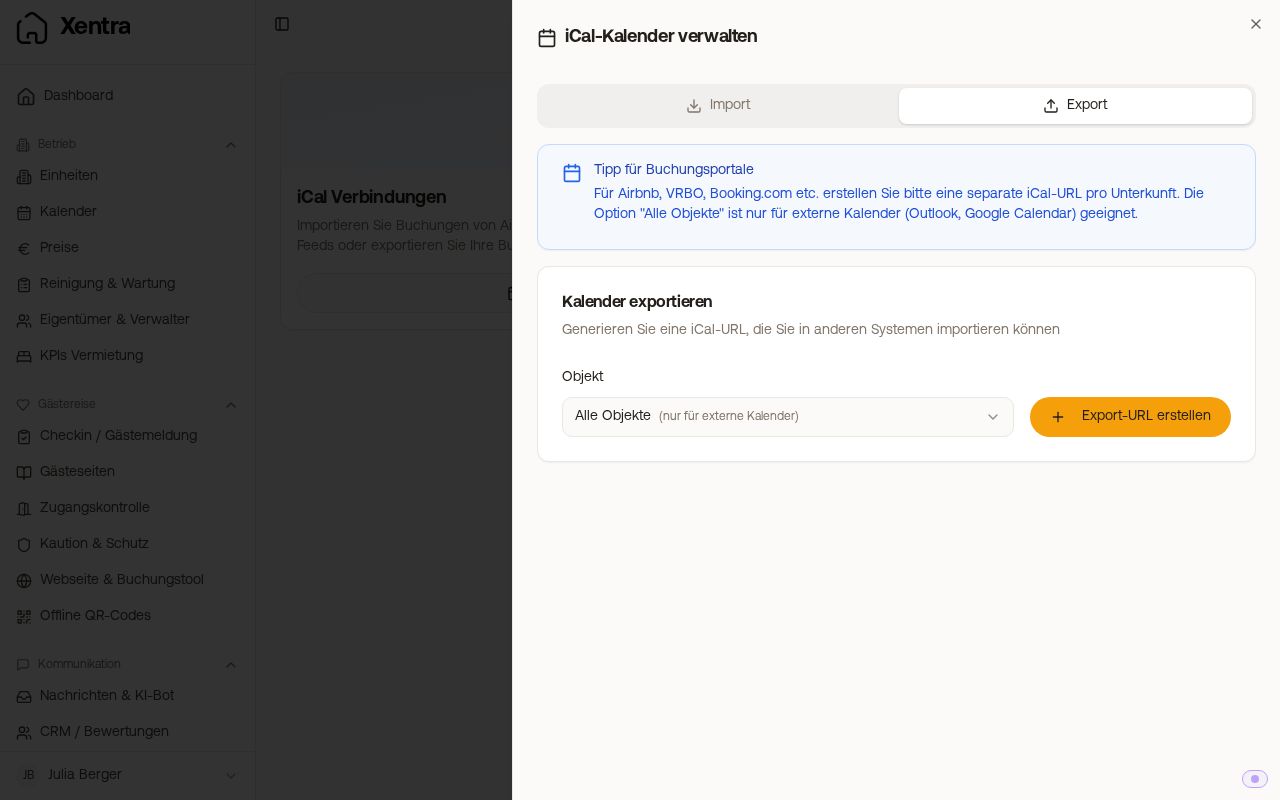 The "Export" tab with property selection and active export URLs
The link is a pure calendar feed: portals and calendar programs read it, it does not show a calendar view in the browser. It contains confirmed bookings and the blocks you created in Xentra. Bookings with the status "Pending" and inquiries are not included, so those days remain open on the portal. Anyone who has the link can read the feed. Therefore, only pass it on to portals and programs you trust, and delete an export you no longer need. If you need a visible occupancy calendar on your website, do not use the iCal link, but the occupancy calendar from the booking tool. See "Occupancy calendar for your own website".
What the feed contains: full days, no times
Each booking is listed in the feed as an all-day entry from the arrival day to the departure day. According to the iCal standard, the departure day itself is considered free so that a same-day turnover does not register as an overlap. Check-in and check-out times are not in the feed. A canceled booking disappears by itself on the next fetch, and a moved booking shifts to the new dates. Blocks from a connected PMS (for example Smoobu) are not passed on by the export. If you need times or immediate notifications for changes, such as for a cleaning company's app, use the data API or webhooks (see "Data API: Keys, access and documentation" and "Webhooks: Events, fields and signature").
Why a portal updates with a delay
Xentra generates the feed afresh with every fetch, so a new booking or block is included immediately. The delay happens on the portal's side, as it only fetches the link at intervals:
- Airbnb: usually every few hours.
- Booking.com / VRBO: can take 12 to 24 hours.
Trigger manually: on Airbnb in the calendar settings "Sync calendar" → "Sync now", on Booking.com under Calendar/Rates "Sync calendar" → "Refresh".
This only affects the export (Xentra → Portal). You set up the import (Portal → Xentra) in the "Import" tab, and it syncs about hourly. You need both together so that the calendars block each other: see iCal: Portals without direct connection.