
Company bookings and salutation: placeholders for company and greeting
## Company bookings and salutation: placeholders for company and greeting If you book for companies, often only the company name is listed as the guest, such as “St…
Updated on November 6, 2026
If you book for companies, often only the company name is listed as the guest, such as "Nordbau". {{guest_first_name}} is the first word of the guest name, so your message starts with "Hi Nordbau". There are two placeholders for this:
| Placeholders | Content |
|---|---|
{{guest_company}} |
Company name of the booking, empty for private bookings |
{{guest_salutation}} |
Ready-made salutation in the language of the message and in your settings for how guests are addressed (informal or formal), without punctuation at the end |
How to use them: Messages, Templates, open a template or "New Template", click "Placeholders" and search for "Salutation" or "Company". For example, write {{guest_salutation}}, at the beginning of your template. In the booking, under the Messages tab, you can see via the eye icon (preview) how the salutation looks for this guest.
Which salutation is used:
- Company without contact person: "Dear Sir or Madam", in English "Dear Sir or Madam", in French "Madame, Monsieur". This applies to both informal and formal.
- Informal address (default): "Hi" plus first name, for example "Hi Max", in English "Hello Max". Without a name, just "Hi".
- Formal address: "Good afternoon" plus full name, for example "Good afternoon Max Mustermann", in English "Good day Max Mustermann". Without a name, "Dear Sir or Madam".
You set informal or formal under Settings, Messages, How guests are addressed card.
A booking is considered a company without a contact person if a company is entered and the guest name is empty, equals the company, consists only of words from the company name (guest "KMT", company "KMT GmbH"), or starts with the company name (guest "Nordbau Montage", company "Nordbau"). "Thomas Müller" at the company "Müller GmbH" remains a person.
The salutation follows the language in which the text is written. {{guest_first_name}} remains the first word of the guest name as before.
Invoice message: In the invoice settings under "Message to the guest", the two placeholders are named {{buyer_company}} and {{buyer_salutation}}. They read the company and name of the invoice recipient and follow the same rule.
All other placeholders: Placeholder system (Merge Tags)
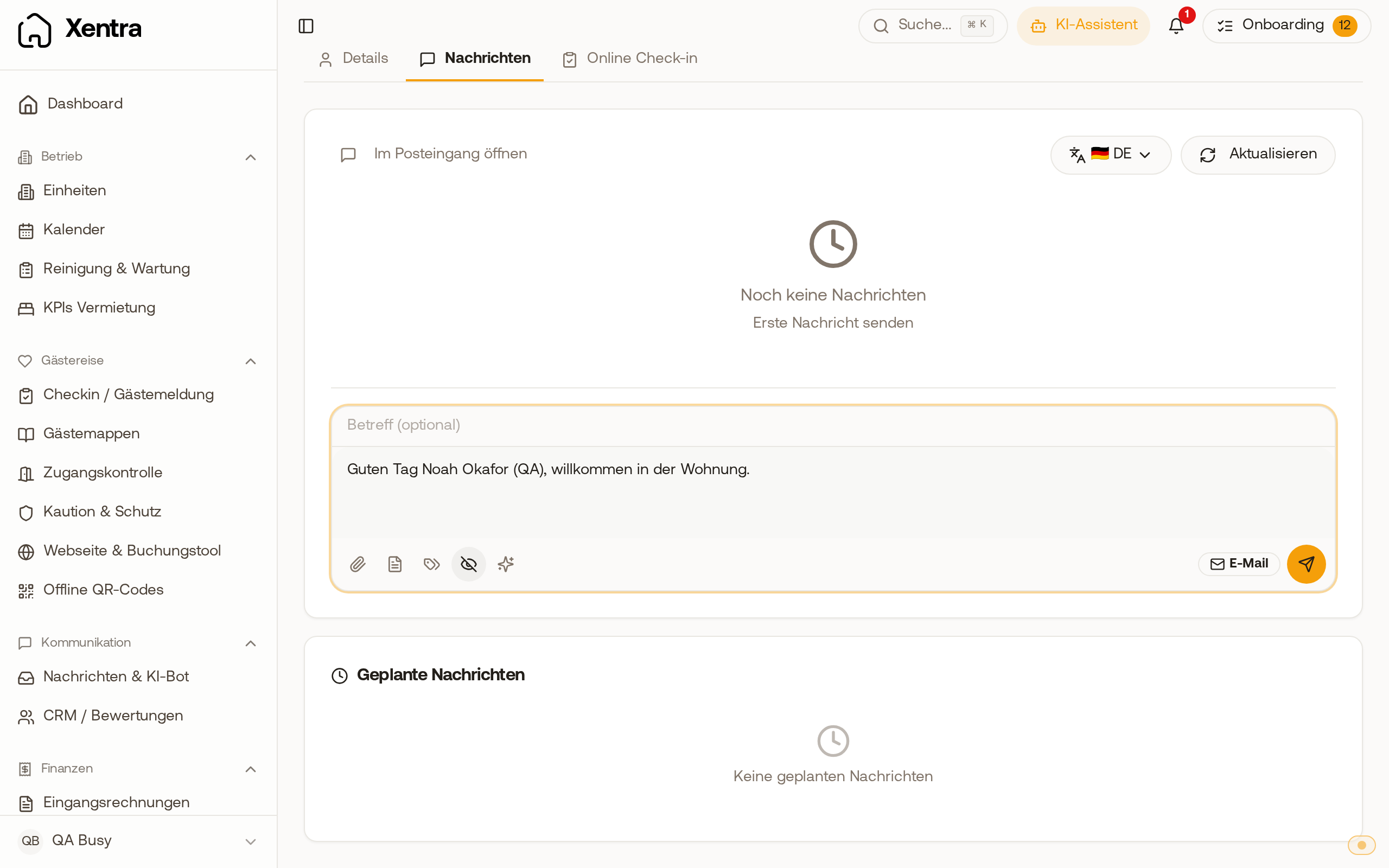 Preview in the booking with formal address: the placeholder becomes "Good afternoon" with the full name of the guest.
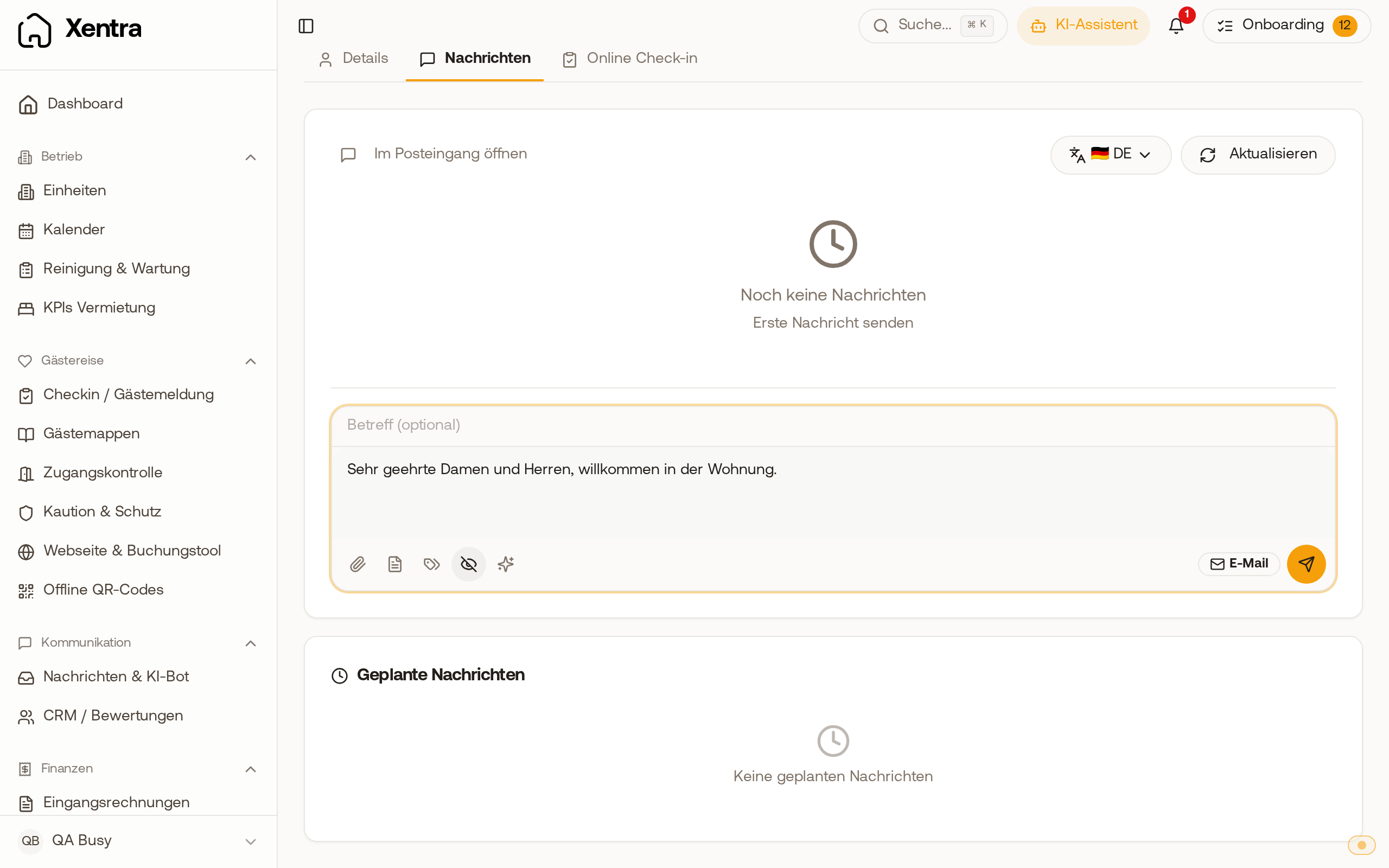 Preview of a company booking without a contact person: the salutation is "Dear Sir or Madam".