
Inventory: Stock per unit and restocking
Track supplies per unit with minimum stock; cleaners report shortages from the task, you get a stock alert.
Updated on November 10, 2026
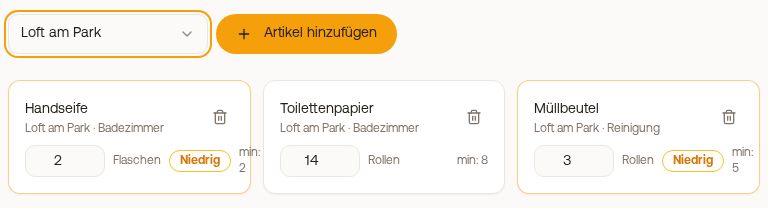
Supplies: see what is missing in which unit
Your checklist is your supply. You no longer count stock: Your cleaner reports directly at the checklist item when something is missing, and you see it under Cleaning & maintenance, Management, Supplies.
Set supply items
- Open Management, Settings, Checklists and your template.
- Turn on Supply for an item like "Refill hand soap in bathroom". Under Articles, a suggestion is already filled in, for example "Hand soap".
- Write the amount in the item, for example "Toilet paper: min. 2 spare rolls". Then your cleaner knows when to tap Missing.
Checklist template with supply at two items and the hint on amount
What your cleaner does
For every supply item, they have the button Missing. One tap opens the issue report already filled out ("Missing: Hand soap"). After sending, the item is checked off and shows Reported. You get the notification like any issue, with bell and email.
What you see
- In the Overview, under Needs you, there is a row, for example "2 items missing in 1 unit". To supplies takes you there.
- By unit: If something is missing, it says in red for example "2 missing". Below it you see what is missing, who reported it, and when. All there means: nothing open.
- Shopping list: what you need to bring, by article. The number counts units, not pieces.
Shopping list with hand soap and toilet paper and one Done each
Have you brought it? Click on Done. The report is then resolved. If your caretaker already has a task for it, the app asks first; their task is then canceled.
Your old list with stocks is only at the bottom of the page under Old inventory list for reference and will not be continued.
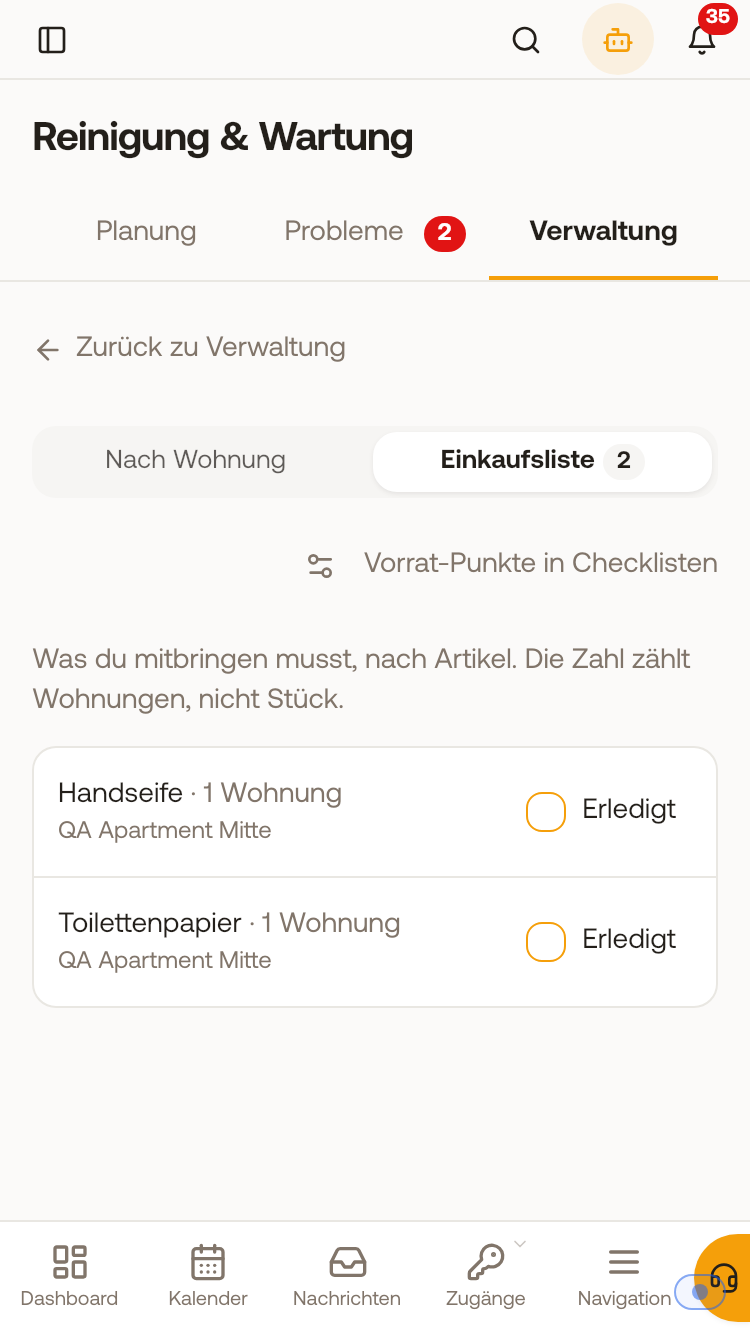 Shopping list with hand soap and toilet paper and one Done each.