
Booking number for direct bookings and self-entered bookings
Why a manually created booking has no booking number and how you enter one yourself.
Updated on October 19, 2026
Booking number for self-entered bookings
Xentra does not assign a booking number of its own. The field “# Portal (booking number)” is meant for the number from Airbnb, Booking.com and the other portals, which arrives automatically with the booking. For direct bookings and self-entered bookings it therefore stays empty until you enter something.
Enter your own number
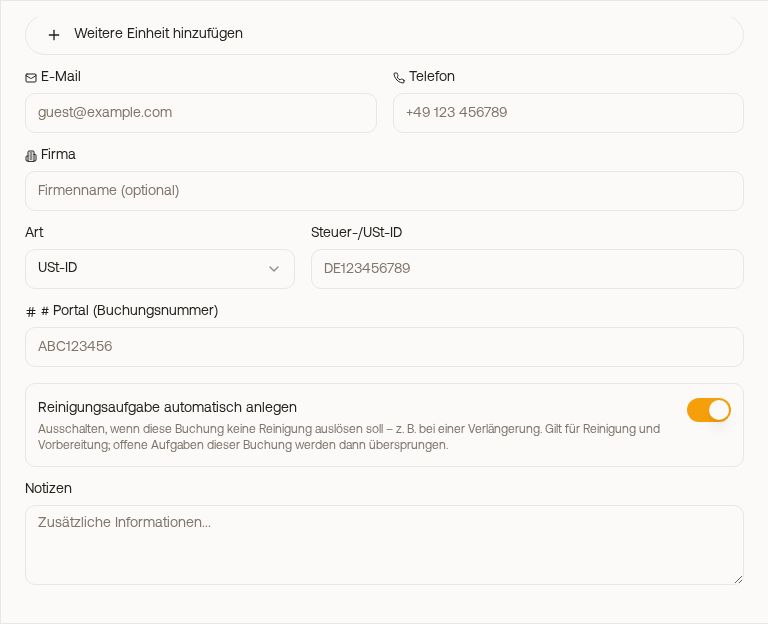 The field “# Portal (booking number)” in the New booking window
- When creating: under New booking, in the field “# Portal (booking number)”.
- Later: open the booking → Edit → field “# Portal” → Save.
- Via the API: send it along when creating the booking as
reservation_number.
Where the number appears
The placeholder {{booking_number}} outputs exactly this number, in messages to the guest and in the invoice note of the guest invoice. On the invoice itself, the invoice number is the unique reference.
A number that runs automatically for direct bookings does not exist. If you need one, enter your own number, for example “SN-2026-0467”.