
Offers: VAT and extras from the product catalogue
How an offer shows the included VAT per tax rate and how it calculates extras from your product catalogue by nights, guests, and dogs.
Updated on November 12, 2026
How an offer to guests shows the included VAT and how it calculates extras from your product catalogue. How you create and send offers: see Offers to guests.
VAT in the offer
Under the total price of each variant, it shows how much VAT is included in the price, per tax rate with net amount, just like on the invoice after acceptance. You can see this when creating the offer, the guest on the offer page (under "Your details" as "incl. ... VAT"), in the PDF, in the confirmation email, in the reminder for the remaining payment, and on the card payment page. For a deposit, the pro-rata amount is shown there. The placeholders {{offer_total}} and {{offer_summary}} state the price including VAT. The rates come from your invoice settings (rate of the unit, portal, or account, invoice sender). You continue to enter gross prices; an extra with its own VAT rate is displayed with this rate. As a small business owner (Section 19 UStG), a notice stating that no VAT is charged appears instead of the rates.
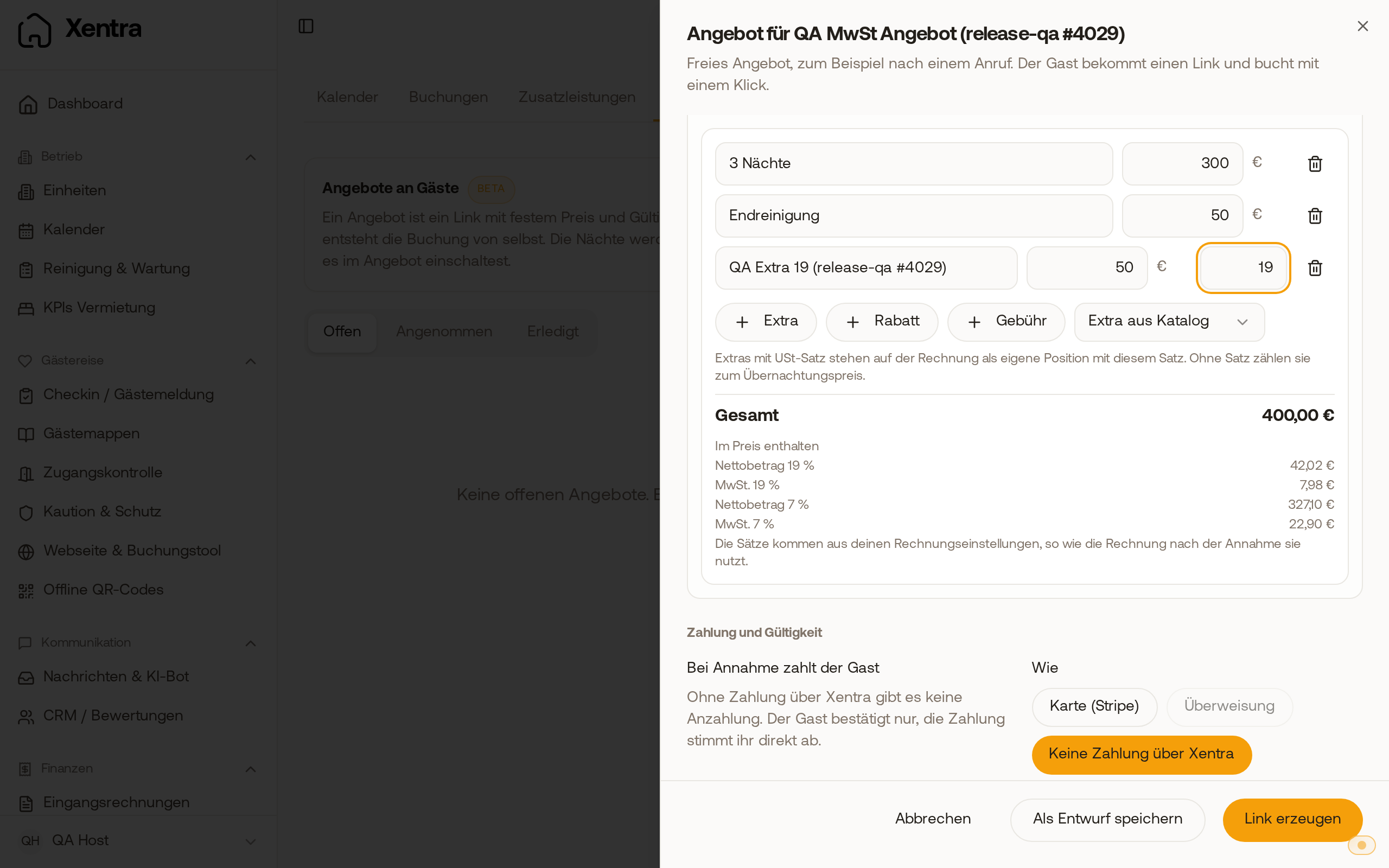 In the offer, the included VAT per tax rate with net amount is listed under the total price.
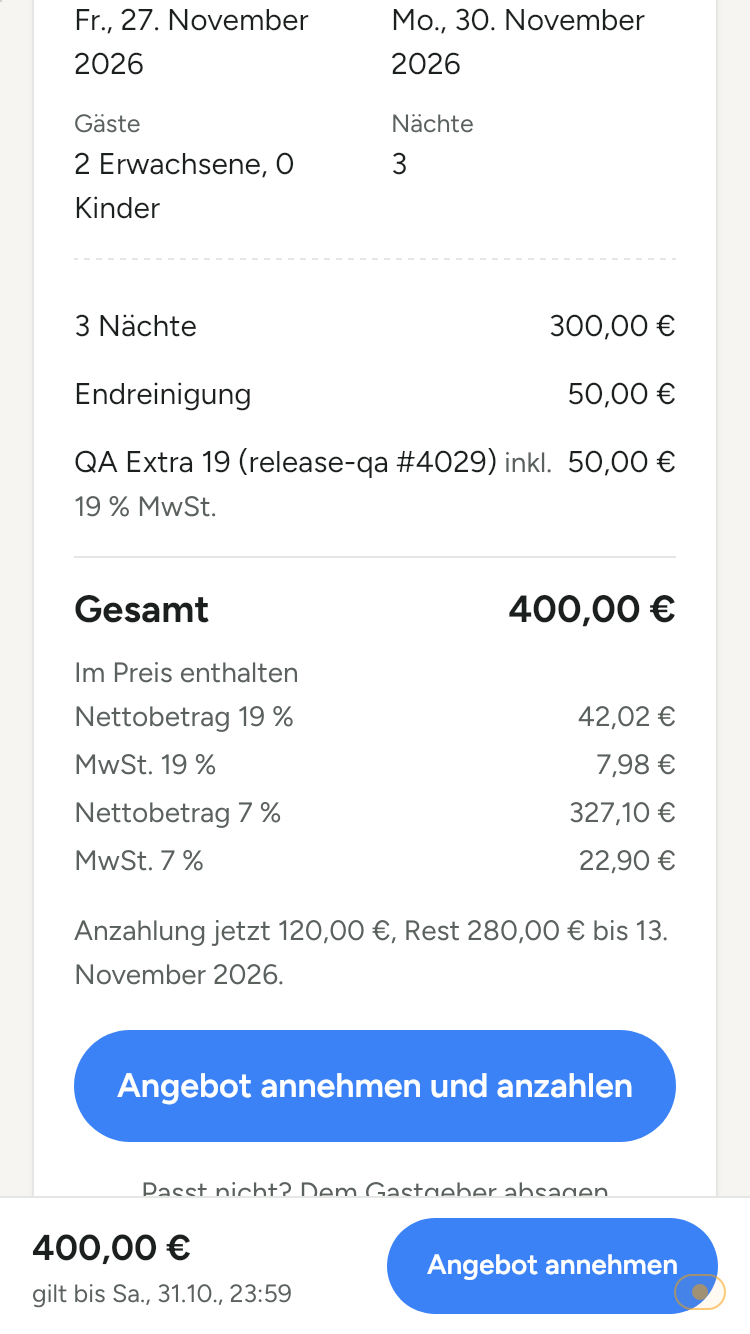 The guest sees the same VAT breakdown under the total price on the offer page.
Extras from the product catalogue
If you select a product from your catalogue under "Extra from catalogue" in the offer, the offer calculates it just like your online check-in for this unit: with the price and price type you set for the product there (for example "Per night & pet"). The quantity results from nights, guests, and the "Dogs" field, and recalculates when you change the data; below the line is the calculation, for example "€15.00 × 2 dogs × 7 nights". If you enter the quantity or amount yourself, the line stays as you entered it. If an extra costs €0.00 because there are no dogs or guests in the offer yet, the line shows a notice and you can only send the offer once you enter the count or remove the line.
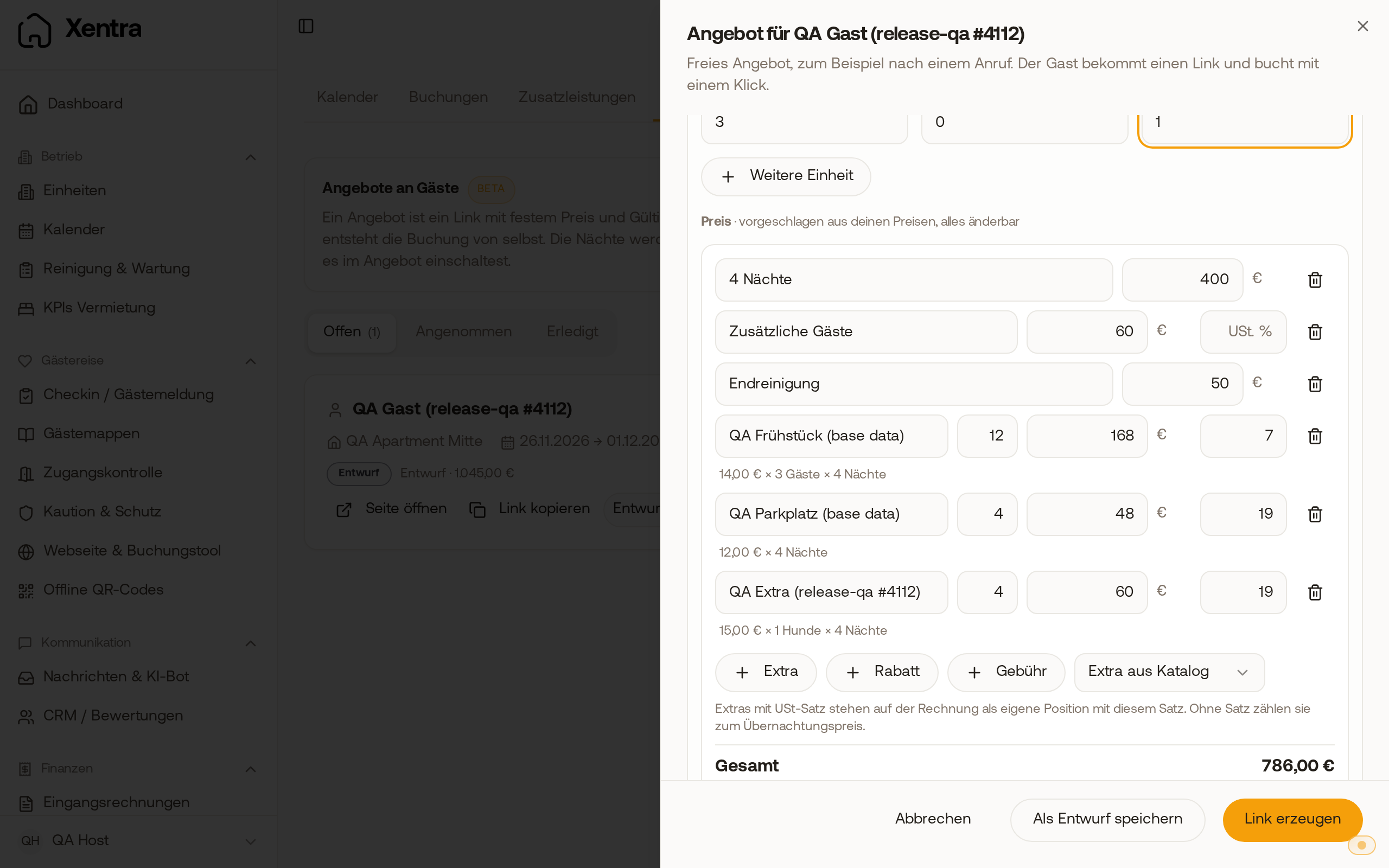 In the offer, a "Per night & pet" extra calculates dogs times nights, with the calculation below it.
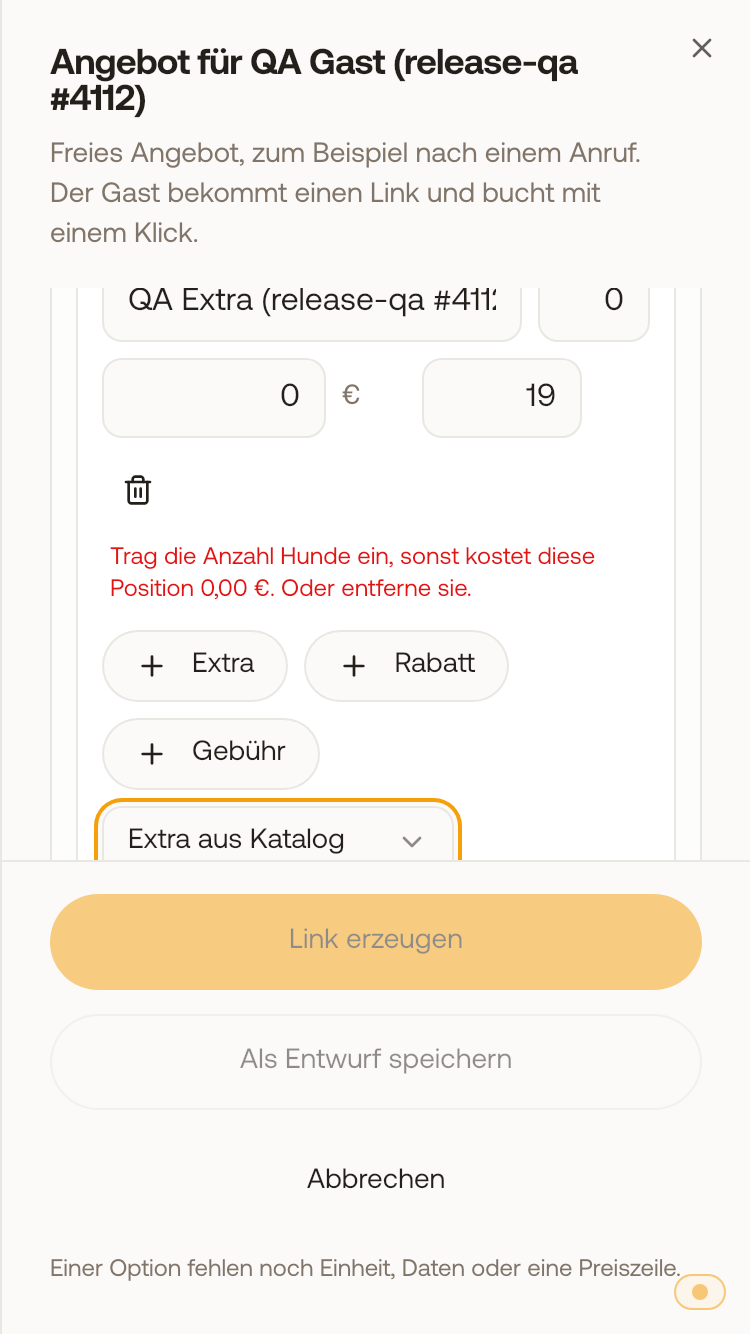 Without dogs, the line shows a notice and the offer cannot be sent yet.