
Action needed: the tab that tells you what is stuck right now
The Action needed tab shows you what is currently stuck, such as unsent messages, disconnected connections, or locks, and why it is sometimes missing.
Updated on November 13, 2026
Under Calendar, next to Bookings, you will find the Action needed tab. It collects the things where Xentra cannot proceed on its own and relies on you. The red number on the tab shows how many items are open.
If the tab is not there, that is good news. It only appears if something is open or if you have hidden items, just like the neighboring tab Booking conflicts.
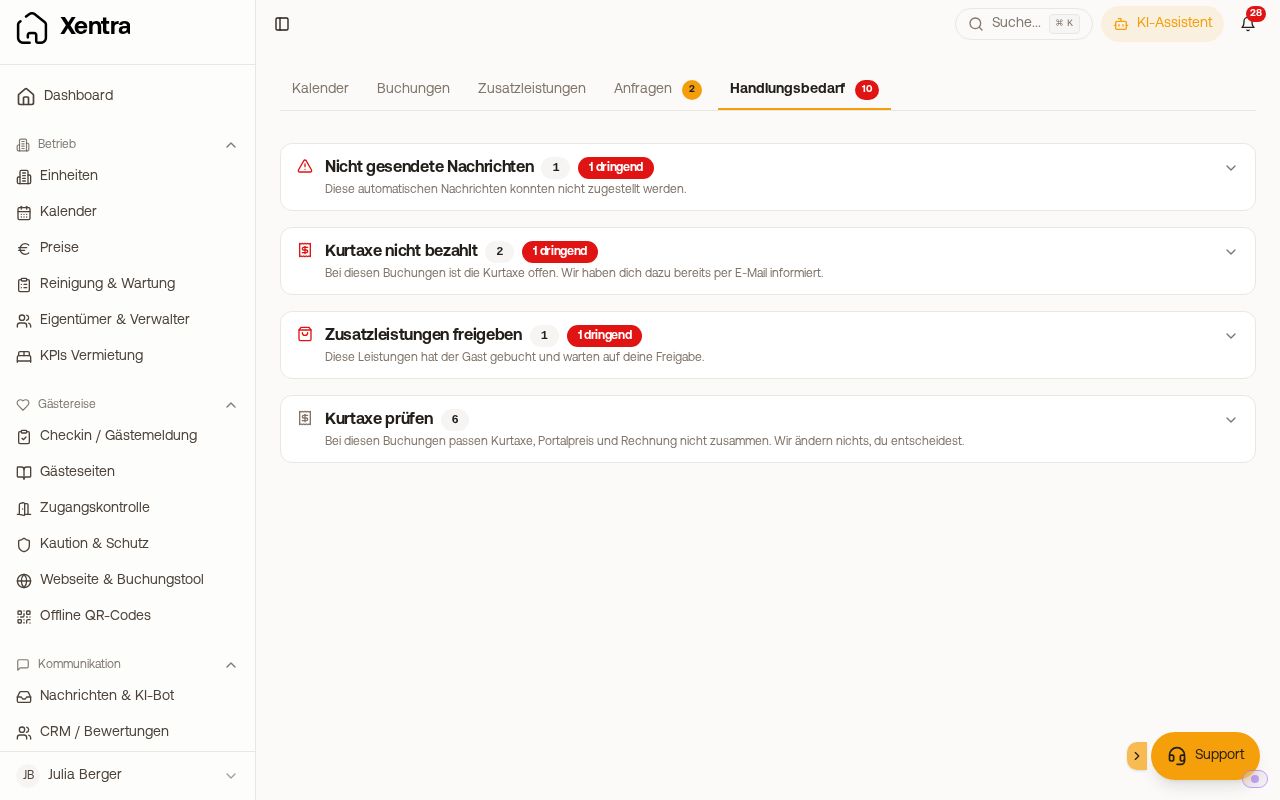 The Action needed tab with collapsed sections and their count
What can accumulate here
Each section has a heading that tells you what it is about:
- Unsent messages: automatic messages that could not be delivered, grouped by cause. With "Try again" or "Resend all", you send them again after fixing the issue.
- Connection interrupted: the last synchronization with a PMS or channel failed. As long as this remains, no new bookings will arrive.
- Devices: lock not reachable or battery below warning threshold (status at last synchronization).
- Access code not created: the lock did not accept the code for a booking. For TTLock, the entry states the reason (such as a gateway not reaching the lock) and what you can do. What else to check: Door code missing or not on lock.
- Arrival today or tomorrow without online check-in: guests arriving today or tomorrow who have not completed check-in yet. Only for units with set-up online check-in: an active check-in template is assigned to the unit (or an active template without unit selection applies to all), or AVS Direkt or Chekin is enabled. If you are missing the warning for a unit, assign it in your check-in template.
- Approve extra services: booked services waiting for your approval.
- Guest registration failed.
- Tourist tax not paid: bookings about which you have already received an email, up to 30 days after departure. How to collect afterwards: Tourist tax not paid: collect afterwards.
- Feratel deregistration pending: The guest has departed, but the deregistration did not arrive at the registration office. Add the departure in Feratel Deskline directly on the guest registration form.
- Check registration: guests whom your PMS moved to another house after the guest registration. Correct the registration in the registration system.
- Booking without unit: upcoming bookings not assigned to any unit. Assign them via "Assign unit".
- Assignment conflicts: bookings for a room category for which Xentra found no suitable vacant room. If it says "Conflict: too many guests", no room in the category is configured for that many people. Via "Choose a room", you select the room yourself and confirm with "Assign anyway" if the guests fit there. Automatic assignment never overoccupies a room beyond its guest count.
- Portal blocks your guest emails: Booking.com only accepts emails to guests from approved sender addresses. The entry shows which address you enter in the extranet. See Booking.com messages: unlock links and sender address.
- Invoice copies rejected: Your accounting inbox (for example DATEV) rejected invoice copies. They did not arrive there and will not be sent again.
- Check tourist tax: Booking.com bookings where tourist tax, portal price, and invoice do not match, for example because the guest paid the tourist tax twice. Details: Tourist tax on guest invoice: source, channel amount, and notes.
How the page is structured
- Sections start collapsed and show their count in the header. That way, you see what kind of problem it is first, not 23 almost identical cards.
- Critical items are at the top. An interrupted PMS connection comes before ten pending extra services.
- Every entry tells you what to do, not the raw error text.
- You can hide completed or unimportant entries. Via "Show hidden items again", you bring them back. If you hide a Nuki lock that is offline, this applies only to this outage: if the lock goes offline again later, it appears here again, stating how long it has not reported.
The most common causes for messages
| Cause | What is behind it |
|---|---|
| No email address on file | The guest is not reachable via PMS or email. Enter an email address for the guest and then press "Try again". |
| No door code for this booking | The message contains a door code placeholder, but there is no code. It was intentionally withheld so the guest does not receive an empty code. As soon as a code exists, Xentra sends automatically. Check whether a keypad is assigned to the unit and the provider is connected. |
| Message thread not ready yet | The conversation at the portal was not created yet. Usually resolves itself, resending is enough. |
| Email delivery rejected | Usually temporary. Resending usually helps, otherwise check the address. |
| SMS/WhatsApp not deliverable | The message could not be delivered via PMS or SMS/WhatsApp. Check the guest's phone number and your channel setup. |