
Sending bookings to your PMS
How Xentra sends bookings from the calendar, booking tool and Data API to Smoobu, Guesty, Hostaway, Lodgify or Beds24, and where you turn it on.
Updated on November 6, 2026
If you use a PMS alongside Xentra, your PMS does not know the bookings that are created in Xentra. So that no night is double-booked there, Xentra sends them to your PMS on request: new bookings, changes and cancellations.
Switch on
- Open PMS & iCal and click Settings for your connection.
- Scroll all the way down and switch on “Send bookings to PMS”.
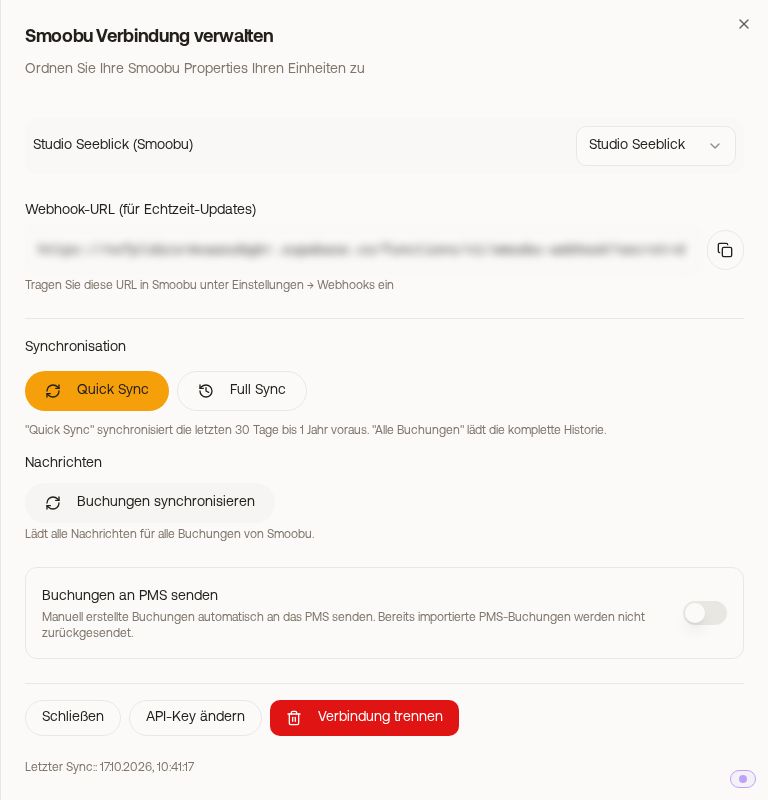 The switch “Send bookings to PMS” at the bottom of the Smoobu connection
The switch exists in the connections to Smoobu, Guesty, Hostaway and Lodgify. For Beds24 you switch the same thing on in the booking tool: Website & booking tool → Booking tool, card “Activation & Mode”, switch “PMS Sync” (with several PMS the name is shown after it). Both switches are the same setting: whatever you switch on in one place is on in the other too.
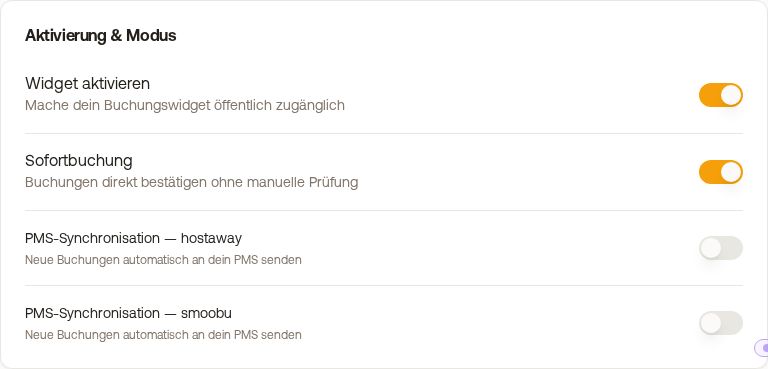 The switch “PMS Sync” in the booking tool
When switching on, Xentra transfers once your existing bookings from the calendar and booking tool that have not yet departed and are not cancelled. Afterwards you briefly see “Bookings transferred: X sent, Y skipped”. From then on it runs by itself.
What is sent
- Bookings and blocks that you create, change or cancel in the Xentra calendar
- Bookings from your Xentra booking tool
- Bookings and blocks that another program creates, changes, cancels or deletes via the Data API. If it deletes such a booking, Xentra cancels it beforehand in your PMS, so that the nights become free there again.
Not sent are bookings that come from your PMS itself or from the portals via Channex. Sending them back would create a loop.
Requirements
- The unit of the booking is assigned in the connection under “Property mapping” to a PMS object. If the assignment is missing, the booking is skipped for this PMS.
- The switch is on. If it is off, every booking created in Xentra stays only in Xentra; the nights are then still free in your PMS, and a double booking threatens.
If the transfer fails once, the booking still remains in Xentra. Then check whether it has arrived in your PMS, and if necessary enter it there yourself.
And Channex?
For the portals via Channex you don't need this switch: every booking in Xentra, regardless of where it comes from, automatically blocks the nights on the connected portals.
More on the individual connections: see PMS connections: which PMS can do what.