
Connecting Beds24
Connect Beds24 as your PMS: invite code or token, room assignment, message history, reviews and what Beds24 does not deliver.
Updated on October 31, 2026
Beds24 is a full connection, not just a booking import: bookings come in in real time, guest messages run in both directions via the Xentra inbox, including images and attachments.
Connecting
Under Open PMS & iCal, click Connect for Beds24. You have two options:
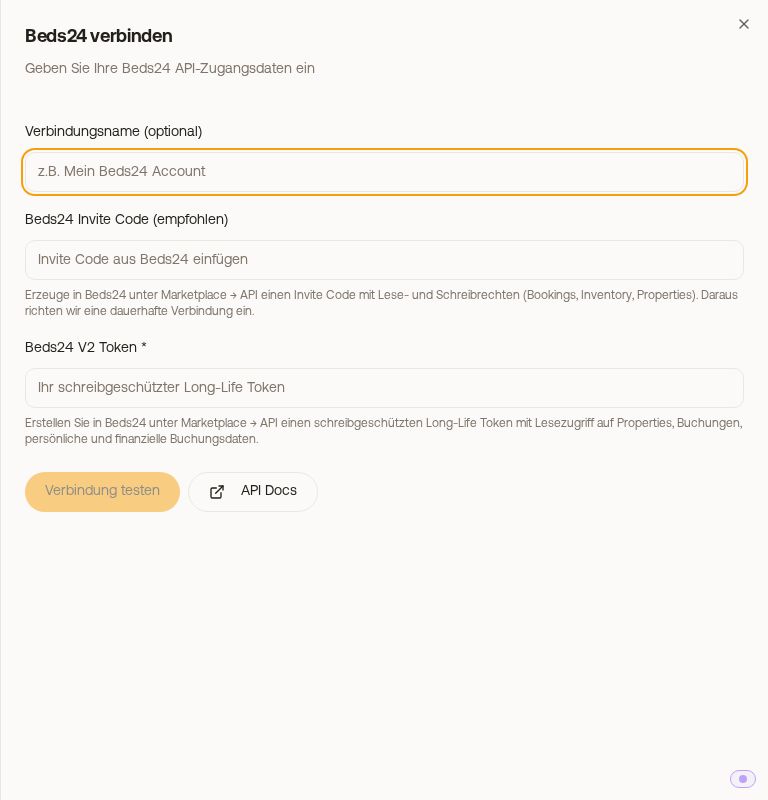 The "Connect Beds24" dialog with invite code and token
- Beds24 invite code (recommended). In Beds24, under Marketplace → API, create an invite code with read and write permissions (Bookings, Inventory, Properties) and paste it. From this, Xentra sets up a lasting connection that renews itself.
- Beds24 V2 token (long-life token). In Beds24, under Marketplace → API, a token with read access to properties, bookings and personal and financial booking data. With it, Xentra can only read: replies to guests from the inbox and writing fields back require write permissions, so the invite code.
Then Test connection and save. On the first connection, Xentra imports your complete booking history. Leave the window open until the import is finished. It resumes: if it stops, Xentra remembers where it was and continues from there at the next start.
What comes along
Bookings, real apartment names, unit master data, prices, occupancy and reviews. New messages arrive practically instantly via the booking webhook; images your guest sends are visible in the inbox.
You fetch the message history of earlier bookings in the connection with "Import message history". Beds24 delivers at most the last 999 days; anything older is no longer available there. This is a limit of Beds24, not an import error.
Assigning rooms correctly
Xentra assigns at the room level, not by name similarity. This is the point where things otherwise go wrong:
- A Beds24 room type with quantity greater than 1 (for example "Apartment ×3") is really more than one apartment. Xentra distributes its bookings across the individual apartments; for this, each of them must exist in Xentra as its own unit and be assigned.
- A correctly assigned single unit takes precedence over the general property assignment. If a booking still ends up in the wrong apartment, the assignment at room level is missing.
- The naming convention for your rooms is shown to you when assigning. Stick to it, then Xentra finds the right unit.
- No unit, no booking: Xentra does not take over bookings of a room that is not yet assigned to a unit. As soon as you assign the room to a unit in the Beds24 connection, or create a unit from it, Xentra fetches its bookings right away.
Credit limit for large accounts
Beds24 charges API access against a credit balance. For very large accounts, an import therefore stops in the middle of a run, and you see for example "Beds24 is limiting requests" with a countdown, or "not yet complete". This is normal: the progress is saved, and the next run continues. Nothing is lost.
Reviews: import on demand, read-only
- You start the import yourself, with "Import reviews" in the Beds24 connection. There is no ongoing sync; you fetch new reviews there again. Beds24 returns at most 100 reviews per request, so older ones may be missing.
- In Xentra, the reviews are for reading and analysis only. Replying to reviews and rating guests is not possible via Beds24, you continue to do that in the portal. Only the Channex connection can do both in Xentra.
Sending bookings from Xentra to Beds24
So that bookings from your Xentra calendar or booking tool also end up in Beds24, switch on "PMS Sync" under Website & Booking Tool → Booking tool, card "Activation & Mode", see Push bookings to your PMS.
Airbnb inquiries before booking (setting in Beds24)
Airbnb inquiries, meaning a guest's non-binding questions before they book, only reach Xentra if Beds24 imports them at all. The default at Beds24 is ignore: then Xentra sees neither the inquiry nor the message history for it.
To switch it on, in Beds24 per property: Settings → Channel Manager → Airbnb → select the property → set "Inquiries and Requests" from Ignore to "Import all". This only applies to that one property; do it for each of your properties.
After that, every Airbnb inquiry lands in Xentra in the Requests tab, and with its message history in the inbox. It does not block your calendar, and the AI bot answers it like a message about a booking.
Pre-approving and sending a special offer are not available via Beds24, these Airbnb actions only run through the Channex connection. Via Beds24, you simply reply to the guest in the inbox; on Airbnb this already counts as a reply to the inquiry.