
Connect Hostaway
How to connect Hostaway with account ID and API secret, map listings and rooms and send bookings back to Hostaway.
Updated on November 6, 2026
With the Hostaway connection, your bookings come to Xentra in real time, guest messages run via the Xentra inbox, and Xentra writes fields such as the check-in link or door code back to Hostaway.
Create API access in Hostaway
In Hostaway under Settings → API (the link “Open API settings” in the Xentra dialog leads there) you find your Account ID and create an API key. Important: when creating it, choose “Hostaway Public API” as partner, otherwise the connection does not work. Enter the displayed key in Xentra as API Secret.
Connect
- Open PMS & iCal and click Connect for Hostaway.
- Enter Account ID and API Secret, optionally a connection name.
- Test connection, then Save connection.
- Under “Property mapping” assign each Hostaway listing to a Xentra unit or import it as a new unit. If a listing has several rooms, assign each room to its own unit.
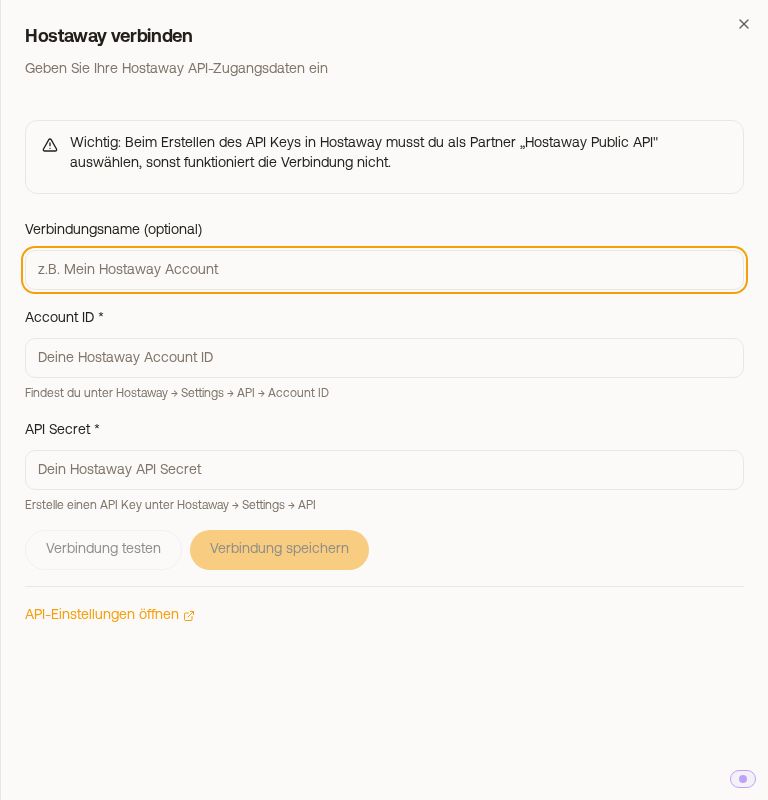 The “Connect Hostaway” dialog with Account ID and API Secret
When connecting, Xentra registers the webhook in Hostaway itself; the dialog then says “Webhook configured automatically”. If it says “Manual webhook setup in Hostaway required”, see Hostaway: bookings do not arrive in real time.
What arrives
- Bookings in real time via the webhook, with payment status from Hostaway. For a reservation across several rooms, Xentra spreads the amount and guests over the individual units. Older bookings you fetch with Quick Sync or Full Sync (there optionally “Sync messages too”).
- Messages: new guest messages and your replies in the Hostaway mailbox appear in the Xentra inbox. Missing conversations you fetch with “Sync messages from the last 30 days”.
- Reviews are not delivered by the Hostaway interface.
Send bookings from Xentra to Hostaway
So that bookings from your Xentra calendar, booking tool or the Data API also end up in Hostaway, switch on “Send bookings to PMS” at the bottom of the connection, see Sending bookings to your PMS.
If Quick Sync reports that the public API is disabled, enable it in the Hostaway settings and try again.