
Placeholders for extra services: booked and still bookable
Name the services booked with {{booked_services}} and offer those still bookable with {{available_services}}, including preview and limits.
Updated on October 19, 2026
With these placeholders you name in a message what the guest has already booked, or offer what they can still add. You find them in the placeholder menu under “Booked extra services”.
| Placeholder | In the menu | Content |
|---|---|---|
{{booked_services}} |
Service list | one line per booked service with quantity and price |
{{booked_services_names}} |
Service names | only the names, separated by commas |
{{booked_services_total}} |
Total price services | sum of all booked services |
{{available_services}} |
Bookable services | one line per service the guest can still book, with price |
{{available_services_names}} |
Bookable services (names) | only the names, separated by commas |
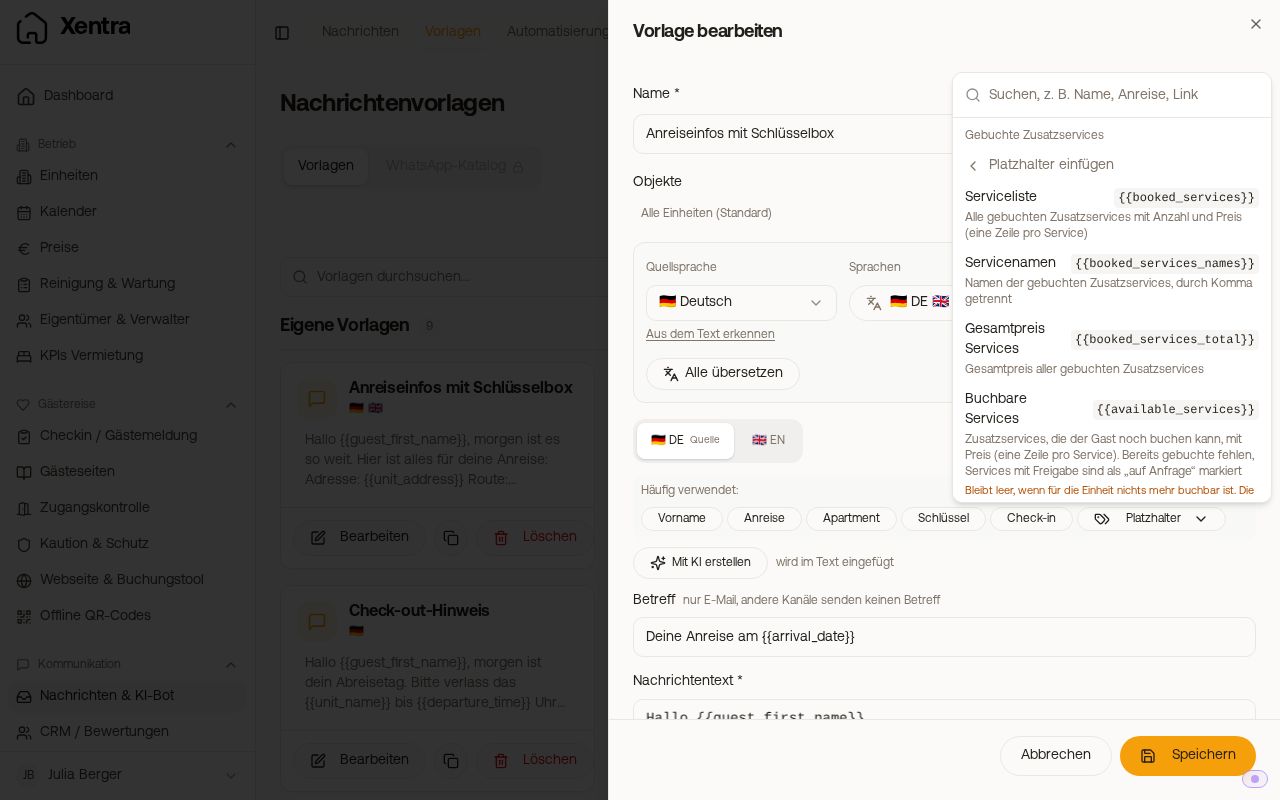 Category “Booked extra services” in the placeholder menu
Booked services
{{booked_services}} shows how the price is calculated: one line per service with name, unit price, quantity and total, for example for a breakfast basket 13.90 € × 2 guests × 1 night = 27.80 €.
The units (“guests”, “nights”) appear in the recipient's language. A service that requires approval counts as booked from your approval, a paid service from the payment. The Damage Waiver also appears in the list.
A typical use: an automation “When an extra service is booked” sent to your cleaning team, see Automations: extra service booked and fixed recipients.
Offering services that are still bookable
{{available_services}} is suited to a message before arrival, for example “Would you like to check in earlier or add a parking space?”. The list shows:
- what you offer in the check-in template or on the guest page of this unit. If you offer the same service in both places, the price from the check-in applies.
- not included are services already booked, services whose booking deadline has passed, services you restricted to other units, and dog services for bookings without a dog.
- Services that require approval are listed with “(on request)”.
- Names and additions appear in the guest's language.
If nothing is bookable any more, both placeholders stay empty, but the message is still sent. So write the sentence around them so that it also works without the list, or use the condition “Extra service booked”.
Preview and sending by hand
The preview in the template editor shows, on a real booking, the services this guest would receive. If there is no booking yet or the values cannot be loaded, you see example services with the note “The services in the preview are examples. When sending, the services of this booking and unit appear there.”
The service placeholders are filled when sending via your automations. If you send the template by hand from the inbox, they stay empty, and Xentra shows you a note that placeholders were removed.