
Data API: Read and send guest messages
Read and send guest messages via the API: Subscription, write permission, no placeholders, 10 per minute, and the webhook for new messages.
Updated on November 13, 2026
Your guest messages are readable and writable via the Data API. This allows you to reply to Booking.com, Airbnb, and other conversations coming into Xentra, even from your own tool.
| Endpoint | Purpose |
|---|---|
GET /api/v1/messages |
Read messages, with ?since=<Zeitpunkt> only the new ones |
POST /api/v1/messages |
Send message to a guest |
The list of fields is available at https://rest.myxentra.com/docs.
What applies when sending
- Permission "Guest messages". To read, the key needs Read there, to send Read and write; without this permission it receives
403. See API Key: Permissions, Validity, Rotation. - Active subscription. Without an active subscription, the API responds with
402; reading still works. - Finished text. The API does not replace placeholders. If the text contains
{{…}}, it rejects the message with400instead of sending curly braces to the guest. - Custom subject for emails. If you send the message with
channel=email, you can includesubject: The guest then receives the email with exactly this subject. One line is allowed (line breaks become spaces) with a maximum of 150 characters, without links and without{{…}}. Otherwise, or with another channel, the API responds with400. Withoutsubject, the email is named "Message". - Maximum 4000 characters per message.
- Maximum 10 messages per minute via the API. Above that,
429is returned; this prevents a faulty automation from sending dozens of messages to real guests. - Include idempotency key, so a repeated request does not send the same message twice.
Xentra delivers the message via the same route as a reply from the inbox: via the portal, otherwise by email, SMS, or WhatsApp. In the inbox, you will see it afterwards with a note indicating that it came via the API.
Who wrote, and did it arrive?
Every message has two fields for this:
origintells you how it was created:manual(someone wrote it in Xentra),automation,bot,api(sent via the API), orinbound(from the guest). It is empty for messages that Xentra did not send itself, but only imported from your PMS, such as a reply directly in the PMS or extranet.sent_bynames the person who wrote it in Xentra, you or someone from your team:{ user_id, name }. For automations, the bot, and guest messages, it is empty.sender_nameis only the label displayed by the channel, often your account name or "Host".
delivery_status is a receipt from the channel. Email reports delivered or failed, WhatsApp sent, delivered, read, or failed. Airbnb, Booking.com, and PMS conversations do not report anything back, so the field remains empty there. If a message sent via the API says sent, the channel has accepted it; only a receipt tells you whether it reached the guest.
Find out about new messages immediately
Instead of constantly polling /messages, subscribe to the webhook "Guest message received" (message_received) under API / MCP, Webhooks tab.
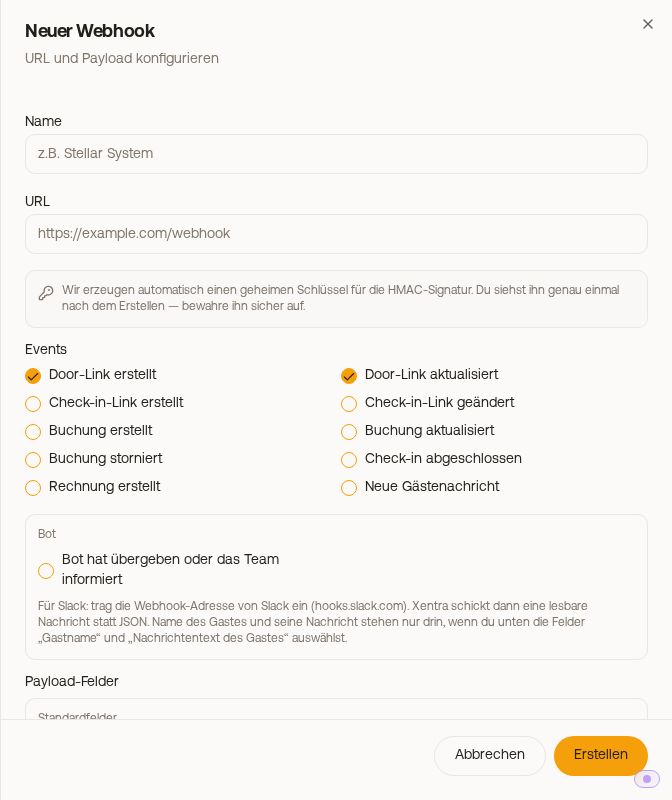 The event "Guest message received" in the webhook editor
It triggers on every new message from a guest, on any channel; imported older messages do not trigger it. It only includes the guest's text if you select "Guest message text" in the webhook under the Messages group. See Webhooks: Events, fields and signature and Data API: Limits, 403 lock and syncing correctly.