
Data API: Limits, 403 block, and syncing correctly
How many requests an API key may make, why it responds with 403 or 429, and how you stay in sync without constant polling.
Updated on November 12, 2026
Data API: Limits and syncing correctly
Two limits apply to every API key on rest.myxentra.com. Every request counts, even one that only delivers data you already have.
| Limit | Value | What happens beyond it |
|---|---|---|
| Per minute | 60 requests in a sliding 60-second window | 429 with Retry-After (seconds) |
| Per hour | 600 requests in a fixed hour window | 403 Forbidden, until the hour window expires, at most 60 minutes |
The minute limit is a buffer for peaks, not a continuous speed. On average, the hourly limit allows 10 requests per minute. Anyone who requests a steady 40 per minute will use up their 600 after about 15 minutes and will be blocked for the rest of the hour. Additional keys do not solve this: each has the same limit, and a separate upper limit applies per IP address. Use one key per integration.
For guest messages, an additional rule applies: at most 10 messages per minute via POST /api/v1/messages, above that 429.
Why do I get 403?
- After about 600 requests in an hour: this is the hourly limit, not a permission issue. Wait for the end of the hour window and change your requests as described below. Such rejected requests do not appear in the key's call log.
- With error text about missing permission (for example
write:bookingsorread:invoices): the key lacks the permission for this area. This can also happen when reading, because every endpoint checks its permission. Permissions cannot be changed retroactively: create a new key with the right permission, see API Key: Permissions, Validity, Rotation.
Never repeat 429 or 403 in a loop.
You can see how many calls a key makes under API / MCP, API Keys tab, via the clock symbol ("View requests"): the last 50 calls with route, status, and duration.
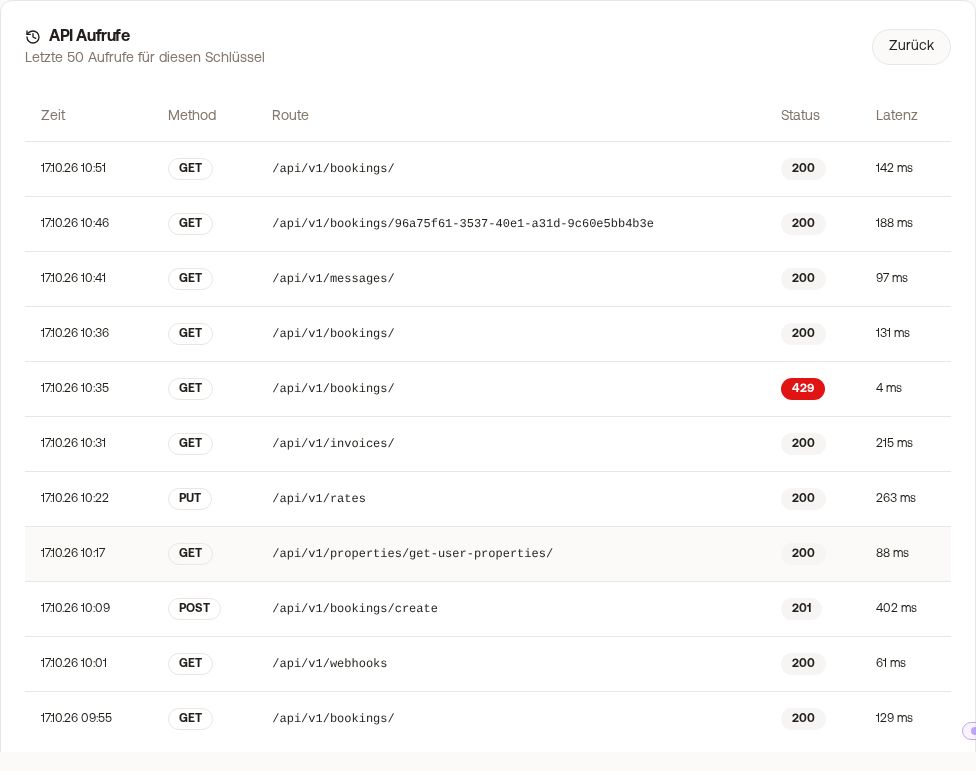 The call log of an API key
How to stay in sync
- Webhooks for anything urgent. Register once (in the app or with
POST /api/v1/webhooks), for example forbooking_created,booking_updated,booking_cancelled, andmessage_received. Xentra sends you every change, you do not query at all. - Read only changes. Remember the time of your last run and query only the delta:
GET /api/v1/bookings/?updated_since=<last run>andGET /api/v1/messages/?since=<last run>. You only load an individual booking if it appears in this delta. - Sync slowly. A delta query every 5 to 15 minutes catches what a webhook missed.
- Cache rarely changed items. Read objects and units once and refresh them only occasionally.
Not like this: query /messages or /bookings every few seconds, reload all bookings individually with every run, let multiple agents or scripts query the same account in parallel. This applies especially to AI agents calling the API in a loop.
The complete description can be found in the API documentation under "Rate limits" and "How to stay in sync": https://rest.myxentra.com/docs. If this is not enough for your case, write to hello@support.myxentra.com.
Basics on keys: see Data API: Keys, Access, and Documentation; webhooks: see Webhooks: Events, Fields, and Signature.