
CRM: Newsletter consent and export
Filter guests with newsletter consent, export the list as a CSV file, for example for Brevo, and revoke consent on the contact.
Updated on November 12, 2026
Newsletter consent and export
If you request newsletter consent during check-in (question "Receive newsletter and marketing information from host" in the check-in form), the answer is stored on the guest's contact. This is how you find all guests who have consented and download them for your newsletter tool.
Find guests with consent
Open Communication → CRM / Reviews → "Contacts" tab (Open contacts) and select Newsletter: Yes in the filter. The list then shows all guests who have consented and provided an email address. The Newsletter column shows the date of consent (on a computer with a wide window).
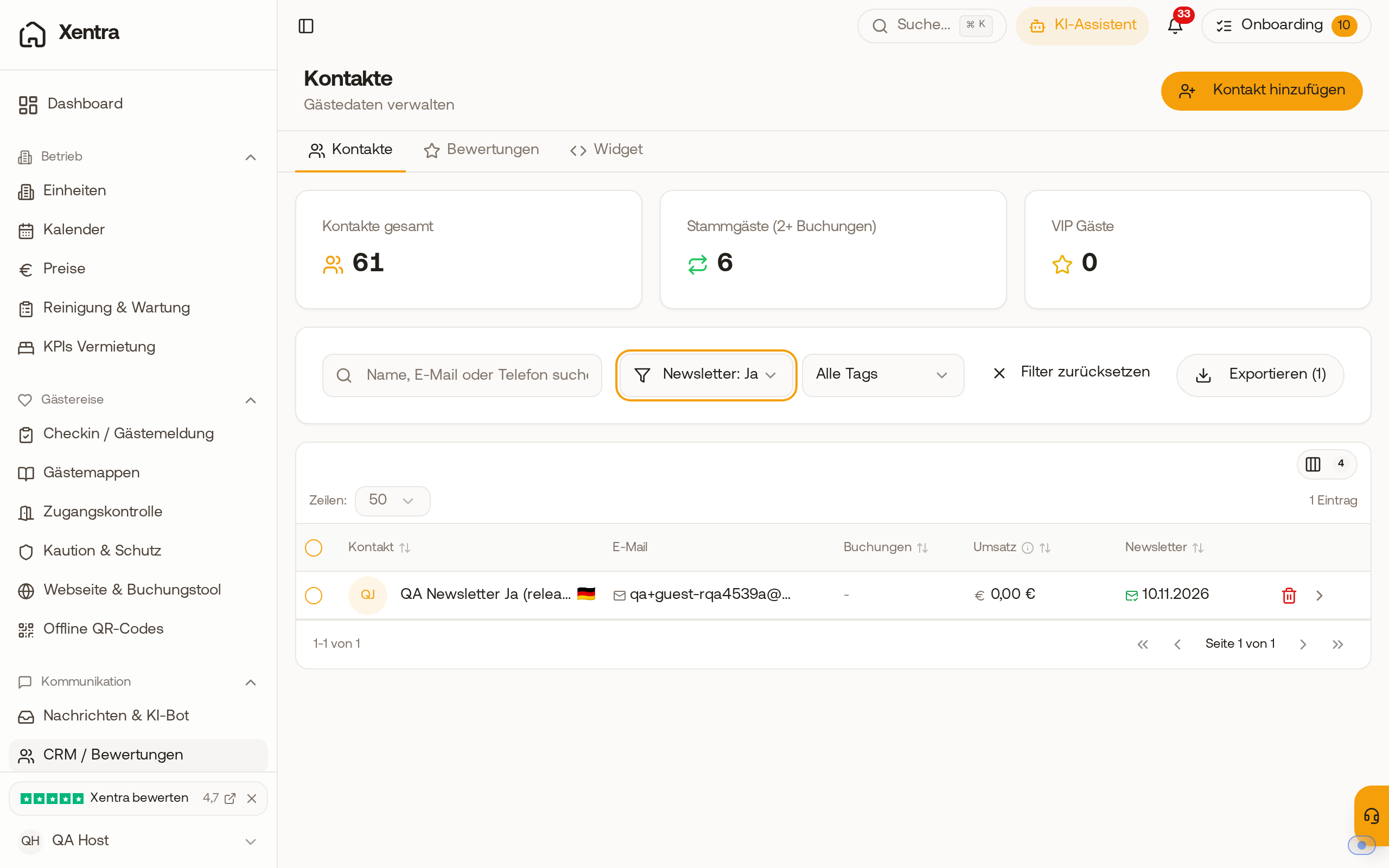 Contact list with the filter "Newsletter: Yes", the Newsletter column with the date of consent and the button "Export (1)"
Export as CSV
With Export, you download the exact filtered list as a CSV file; the number on the button shows how many contacts are in it. The file contains first name, last name, name, email, language, newsletter, timestamp, and source of consent. You can open it in Excel or import it into your newsletter tool, for example Brevo. The export depends on search, filter, and tag: Without filters, you export all contacts.
View and revoke consent on the contact
On the contact page, under Newsletter, you can see when and where the guest consented, for example "Consented on 10.11.2026 17:12 · Check-in", otherwise "No consent". If a guest no longer wants a newsletter, click Revoke consent and confirm. After that, the contact is no longer listed under "Newsletter: Yes" and no longer listed as consented in the export.
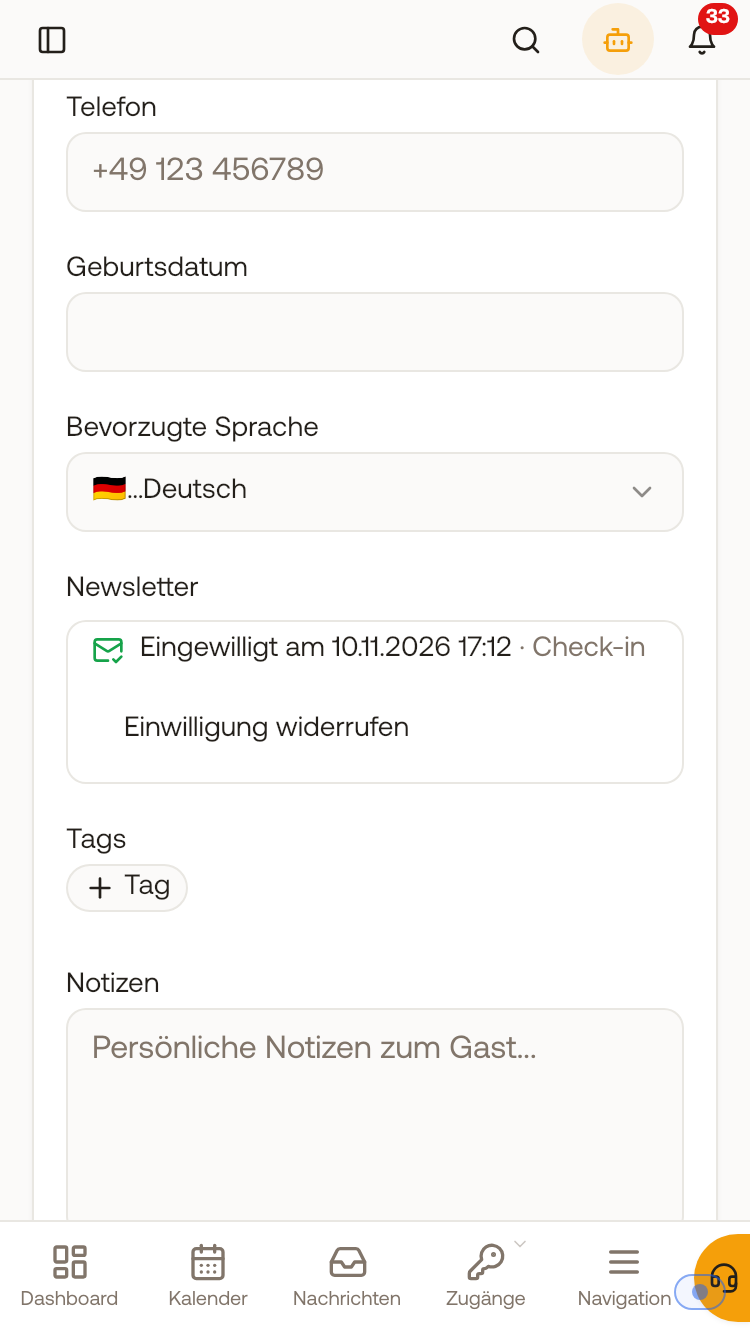 Contact page on mobile with consent "Consented on ... · Check-in" and the button "Revoke consent"
You cannot enter consent yourself, it must come from the guest. The guest can only consent again with a new yes in check-in. An old yes from a previous check-in no longer counts after a revocation, even if you merge duplicate contacts.
Team members
Team members see consent with the permission Contacts and reviews and revoke it if they are allowed to edit this permission.