
AI features
AI Assistant, automatic responses, Guest page generator, and more.
Updated on November 13, 2026
The AI features in Xentra run on Google Gemini.
| Feature | What it does |
|---|---|
| AI Assistant | answers questions about Xentra and your data, see "AI Assistant" |
| AI in inbox | "Generate AI response", "Improve", "Shorten", Translate |
| Translation | guest messages into your language, your replies into the guest's language, see "Translation in inbox" |
| Messaging Bot | guest responses as a suggestion or independently, see "Set up Messaging Bot" |
| FAQ suggestions | FAQs from your real answers and from documents |
| Guest page generator | create and translate guest guides with AI |
| Checklist generator | create and translate cleaning checklists |
| Automation Assistant | automations from a description |
| Unit descriptions | improve texts and bring them into other languages |
| Read invoices | automatically capture incoming invoices |
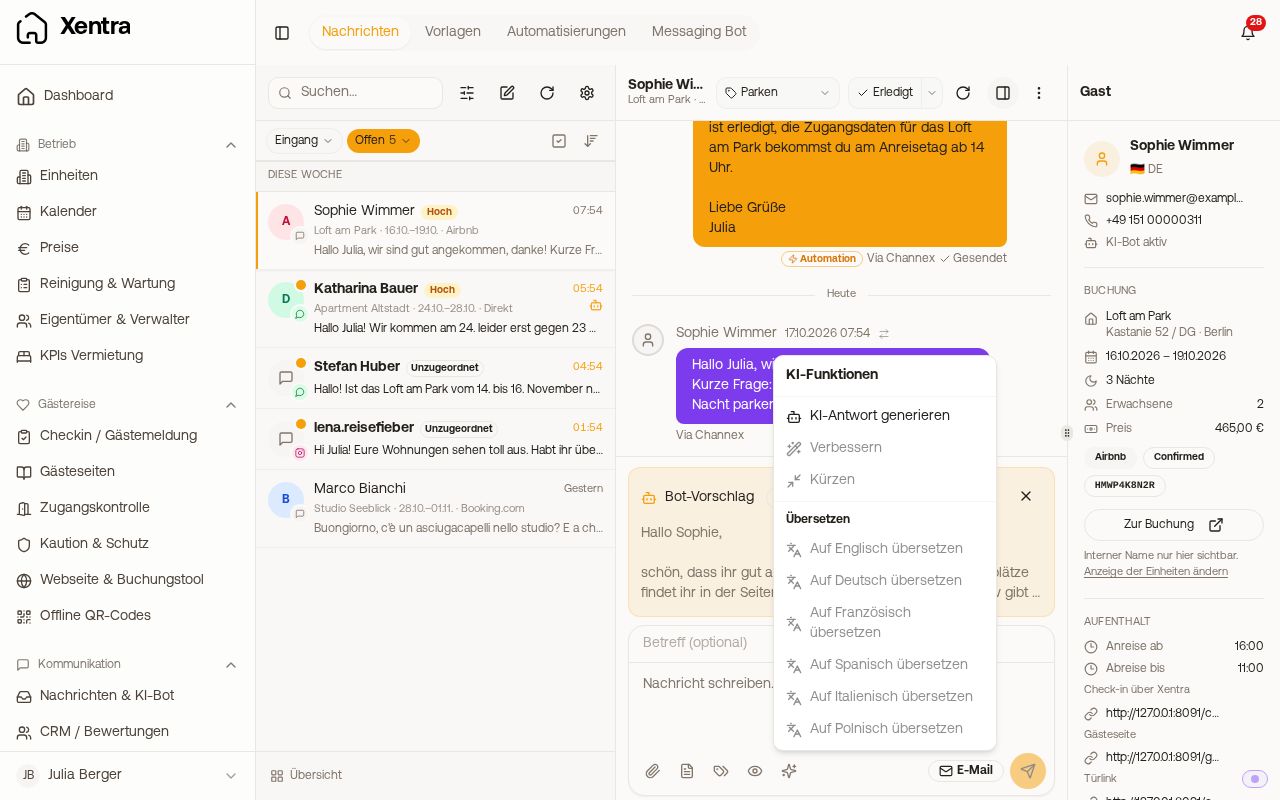 The AI menu in the inbox input field
AI for team members
For team members, there is one permission for everything: "Use AI (at host's expense)". It applies to the AI Assistant and to every AI feature (writing texts, improving, shortening, translating, bot drafts). The team admin can always use AI.
- For fixed roles (cleaner, caretaker, booking manager, owner), the permission is on by default. You turn it off for the member under Settings, Team & other users.
- For a member with custom permissions ("Custom"), you check "Use AI" in the permission grid or not. New members start without it.
- A member without the permission does not see the AI buttons at all.
The used AI Credits always come out of your quota and end up on your invoice. The prerequisite remains that the module (AI Assistant or Messaging Bot) is active in your account.
AI Credits
One shared pool, no quota per unit. Your plan includes a monthly free allowance of AI Credits per unit. It is calculated from your number of units and sits as a balance on your account, free across all units. The counter restarts every month. You can see how large your free allowance is and how much you have used under Billing, "Subscription" tab, "AI Credits" card.
What an action consumes: Small actions like a bot response, translating a message, improving text, or generating a checklist consume little. The large generators consume more: generating or translating a guest page, reading invoices, and the Automation Assistant. The breakdown of your consumption by feature is on the same card. The AI Assistant is always free, and automations from templates cost nothing.
When the pool is empty: In the Basic and Pro plans, nothing shuts down, additional credits are billed per credit; the card under Billing shows the current price. Billing takes place once a month: What you have consumed in a month above your free allowance appears after the end of the month as a line "AI Credits " with the number of additional credits on your next invoice. In the Free Trial, it stops until the new month begins or you switch to a paid plan. Incoming guest messages continue to be translated at all times.
Data protection
- Guest names in the AI Assistant are visible by default (toggle "Real guest names in AI Assistant" under Settings → Security → AI & Privacy). If you turn it off, the assistant sees pseudonyms instead of names.
- When translating, email addresses, phone numbers, links, and known names are not sent to the AI in plain text. Xentra replaces them with placeholders beforehand and reinserts them afterwards.
- The Messaging Bot needs your one-time consent for AI data processing; last names, email addresses, IDs, and access codes are removed beforehand.
- Audit log and privacy information can be found under AI & Privacy.