
Price API: prices, minimum stay and availability via the API
Read and write daily prices and minimum stay through /api/v1/rates, the rules around PriceLabs and fetching the availability calendar for your website.
Updated on November 6, 2026
You can read and write daily prices and minimum stay per unit directly via the API, for example from your own pricing tool. Endpoint: /api/v1/rates on https://rest.myxentra.com, documentation in the section "Rates" at https://rest.myxentra.com/docs. You find the unit IDs under API / MCP in the section "Your units".
You do not need to push anything separately. A write triggers the passing on to the portals (Booking.com, Airbnb and so on) automatically, the same way as the pricing page in Xentra.
What you need to know
- No write lock. The API and the Xentra interface edit the same prices; whoever writes last wins. The pricing page then shows the green note "Prices last updated via API" with the time and the affected units.
- Units with PriceLabs are rejected (status
409). PriceLabs would overwrite the price at the next sync anyway; for these units, price control is reserved for PriceLabs. - Leaving out a field is not the same as emptying it. If you omit
priceormin_stayfor a day, the value stays unchanged. If you explicitly sendnull, the override is deleted, and the seasonal or base price applies again. - Reading returns both: the effective value (the override, otherwise the price rule that applies, in the same order as on the pricing page, before dynamic rules and portal surcharges) and the pure override. This way, an external tool can write and then check.
- Limits: at most 731 days per request, at most 730 days into the future, price 1 to 99999, minimum stay 1 to 30 nights.
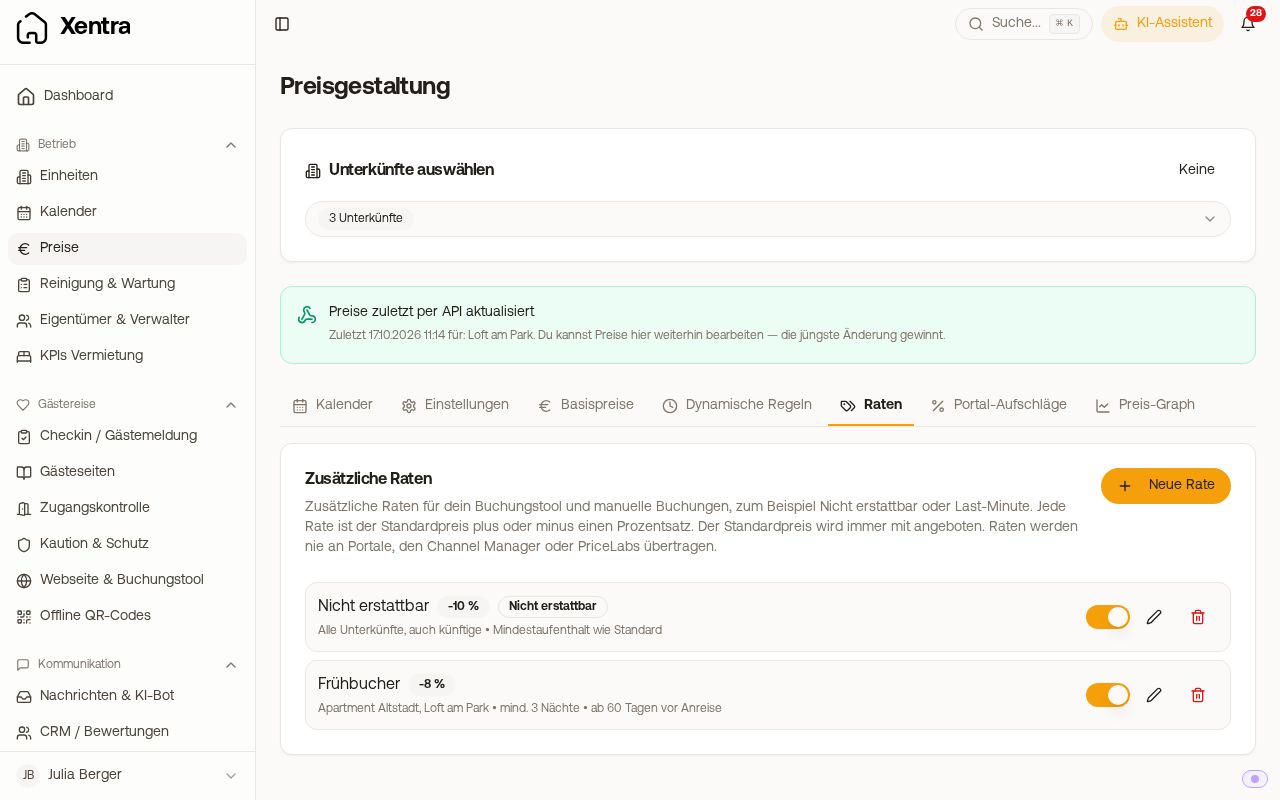 Note "Prices last updated via API" on the pricing page
Availability calendar for your website
If you want to draw an occupancy calendar on your own website, use GET /api/v1/availability?unit_id=<id>&from=<datum>&to=<datum>. The response contains, day by day, whether the night is free (available), why not (unavailable_reason: booked, blocked by you or in the past), whether arrival or departure is possible on that day (arrival_allowed, departure_allowed), the minimum and maximum stay, and the nightly price. It is calculated exactly as in Xentra's own occupancy calendar.
- Without
from/to, the next 30 days are returned, at most 731 days per request. - The minimum stay counts on the arrival day of the stay.
- The price is the nightly price as with
GET /api/v1/rates, so before dynamic rules and portal surcharges. - For the binding answer on a specific stay (is exactly this period bookable?), use
GET /api/v1/rates/availability. Itspriceblock contains the final cleaning (cleaning_fee), the dog fee for the requesteddogs(dog_charge) andtotal, so the same total price as your booking page. The tourist tax is listed separately intourist_tax(statusincludedwithamount,on_siteorunknown) and is never included intotal. The amount and type of the dog fee are provided byGET /api/v1/properties/get-property/{id}inpricingasdog_charge_amountanddog_charge_mode.
For a price calculator on your website, /api/v1/rates and the pricing of the unit (GET /api/v1/properties/get-property/{id}: final cleaning, extra fee per guest, guests in base price, dogs) are enough; you do not need to write fees into your website as fixed values.