
Booking.com: Pricing model of your hotel and single use
Which pricing model Booking.com uses for your hotel, what it means for your prices, and why you turn off single use for "One price per room".
Updated on November 12, 2026
You can see which pricing model your hotel has in the Channel Manager, view Portals, card Booking.com: at the hotel the menu (⋮), "Room and rate mapping", at the top under "Pricing model". Booking.com sets this per hotel, Xentra only adopts it:
| Display | What it means | What you can do |
|---|---|---|
| One price per room | Every group size pays the price Xentra sends. | If you want prices per guest, ask Booking.com to switch this hotel to "Price per guest" (RLO). |
| Booking.com prices per guest | Booking.com derives the prices for more guests from the single price Xentra sends. | In the extranet under "Prices per guest", create the rule: Base occupancy = your guests in the base price, plus your surcharge per additional guest. |
| Price per guest count | Booking.com expects a separate price for every guest count. | Xentra sends one price for all guest counts, unless you turn on "Send price per guest count" at the unit, see Booking.com: Send price per guest count (OBP). |
Single use with "One price per room"
With "One price per room", Booking.com can additionally offer a cheaper price for single use (one guest) for a rate. Xentra sends one price per room and no separate price for single use.
If Booking.com offers single use for a rate of your hotel, you can see this under "Room and rate mapping": At the top there is a note, and the rate is marked with "single use offered". Also in the mapping of an individual unit, the rate says "single use offered". Then turn off single use in the Booking.com extranet.
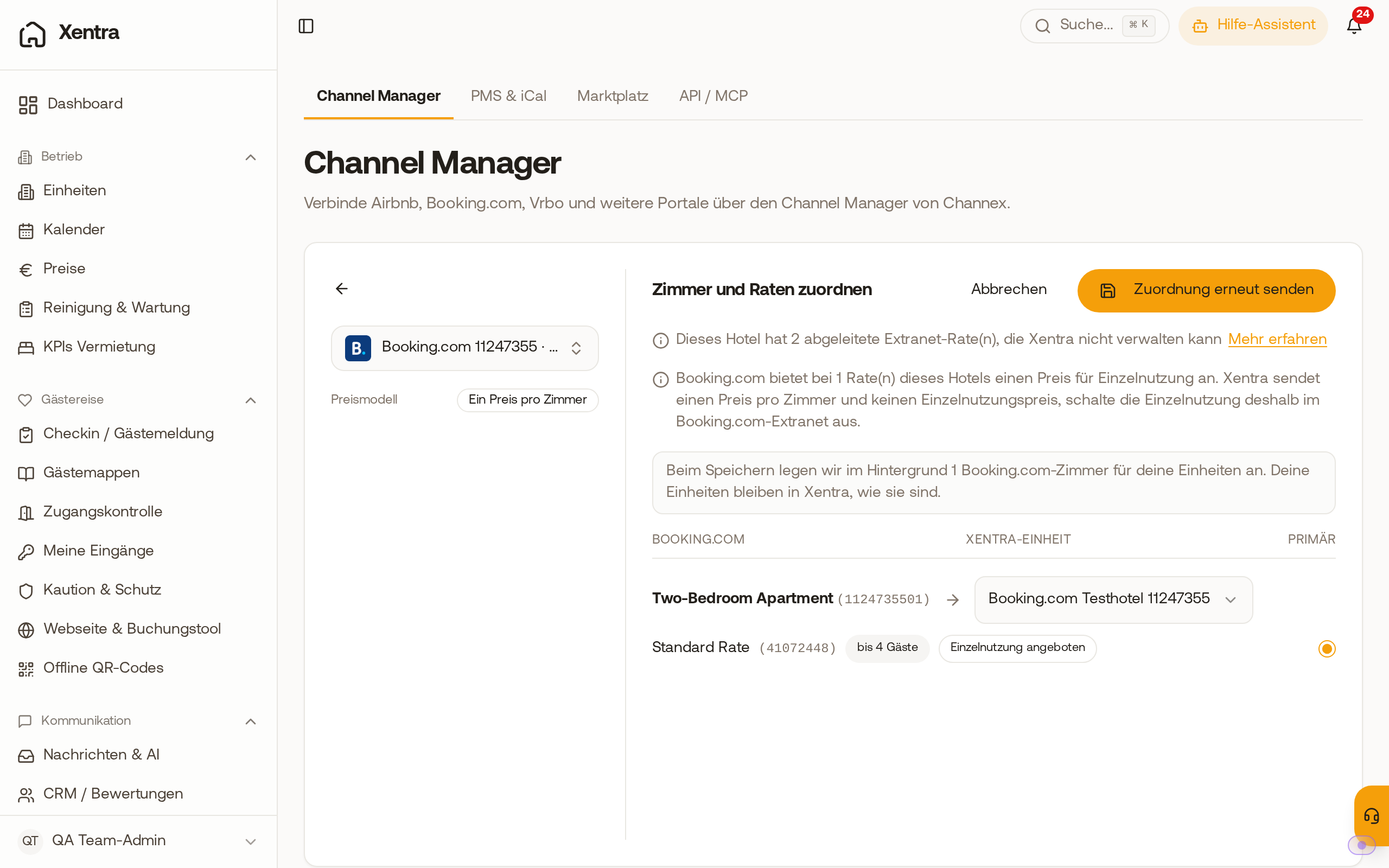 In "Room and rate mapping", Xentra points out the single use and marks the rate with "single use offered".