
Email: New API key created
What the email about a new API key contains and how you immediately lock a key you do not recognize via the link.
Updated on November 8, 2026
As soon as a new API key is created in your account, you immediately get a bell notification, a push notification, and an email. This applies whether you create it in the app, an AI assistant like Claude or ChatGPT creates it via the connection, your team member creates it for you, or the Xentra team.
What is in the email
The email has the subject "New API key in your Xentra account". It contains:
- the name of the key and its last four characters
- the permissions, for example "Bookings and calendar (read)"
- when and how it was created, such as "via the app" or "by your team member Anna"
- when it expires
Was that not you? Lock key
Click on "That was not me: Lock key" in the email. A page opens asking you if you want to lock the key. Only when you press "Lock now" there, the key is locked. You do not need to be logged in for this.
After that, the key immediately stops working, and our team will get in touch with you. Then change your password. A lock cannot be undone. Under Settings, API / MCP, the key will then be listed as "Revoked".
If a team member creates a key for their own login, you as the owner of the account will also receive the email and can lock the key via the link in the same way.
Notification setting
You cannot turn off this notification. You can find it under Settings, Notifications, Security, in the line "New API key" with the note "Always on: security notice".
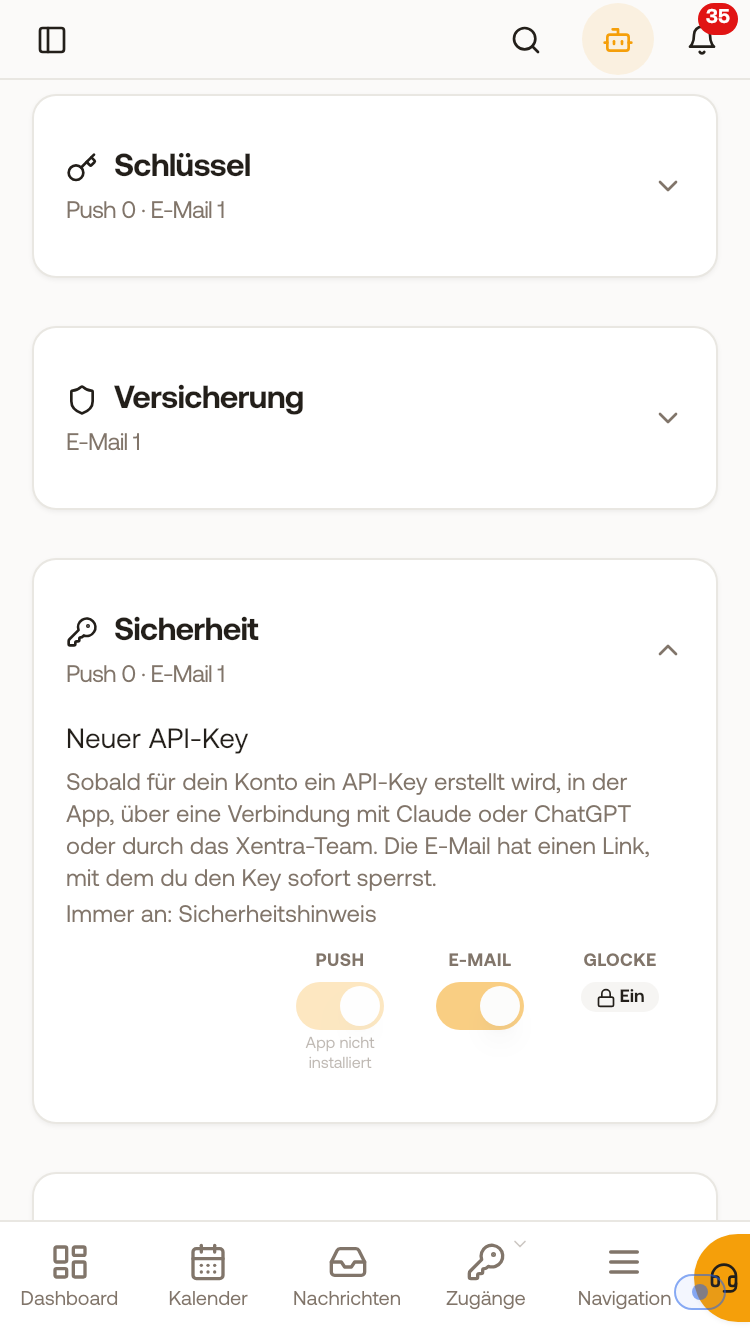 Under Settings, Notifications, Security, "New API key" is always turned on.
Where you create API keys and which permissions exist: see "Data API: Keys, access, and documentation".