
Data protection, hosting and security at Xentra
Where your data is stored (Frankfurt, EU), data processing agreement, AI providers, two-factor verification, rights in the team and data export.
Updated on October 19, 2026
Where your data is stored
The data in your Xentra account is stored in a data center in Frankfurt am Main, so in the EU. Xentra works under the GDPR. You will find the data processing agreement (DPA) on our website: myxentra.com/de/avv. The privacy policy: myxentra.com/de/datenschutz.
AI and your data
For AI features, Xentra uses two providers: Google Gemini and Anthropic Claude. The transfer is based on the EU Commission's standard contractual clauses. Which feature sends which data to which provider, and which protective measures apply, is set out here: myxentra.com/de/ki-datenschutz.
Your guests' ID data
What the online check-in stores from IDs, for how long and who sees it, is explained in “ID data in the online check-in: what Xentra stores”.
Securing your login
Under Settings, Login you switch on two-factor verification with an authenticator app and set after what time without activity Xentra logs you out automatically. Details: “Login: password, two-factor verification and automatic logout”.
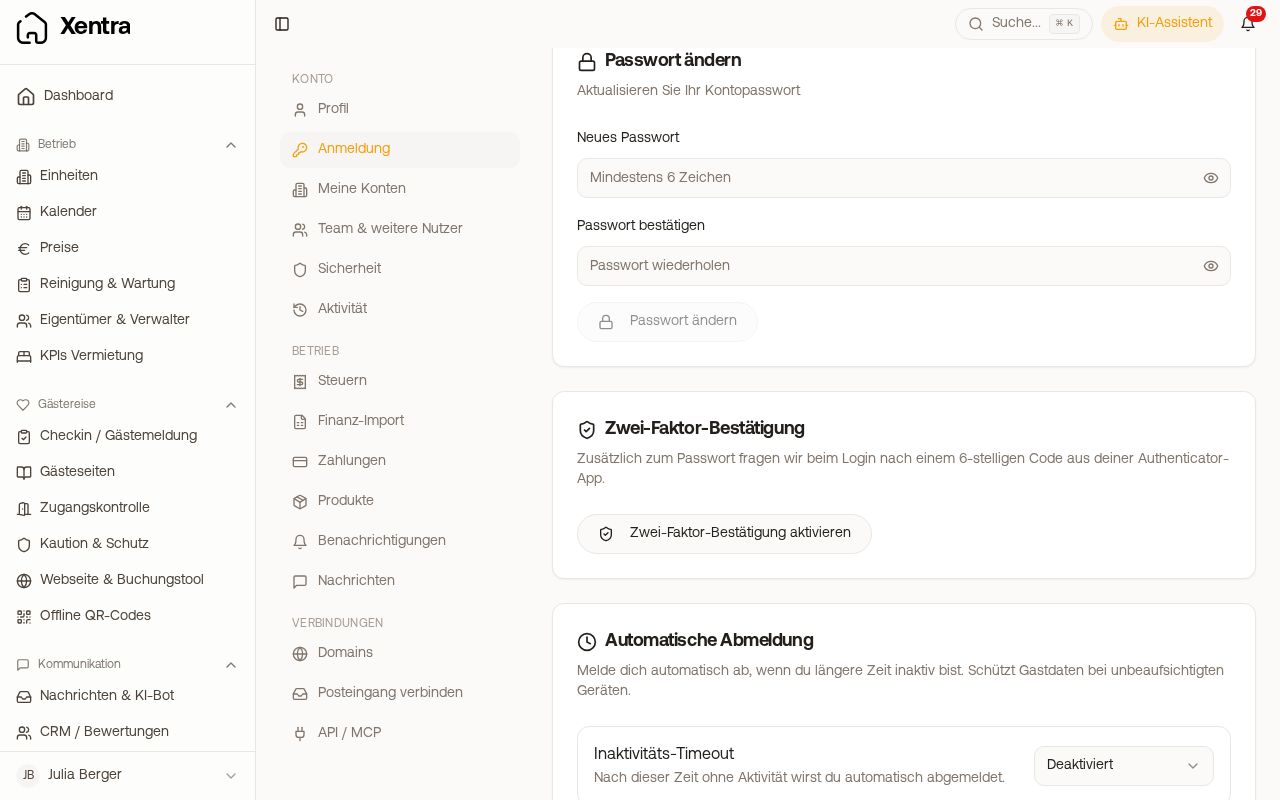 Settings, Login: password, two-factor verification and automatic logout
Who sees what in the team
Each team member gets their own login. For each area you set whether they have no access, may only view or may also edit, and for which units this applies. For example, a cleaner only sees their tasks and the occupancy of their units, but no revenue. See “Team rights: template, rights grid and “customised””.
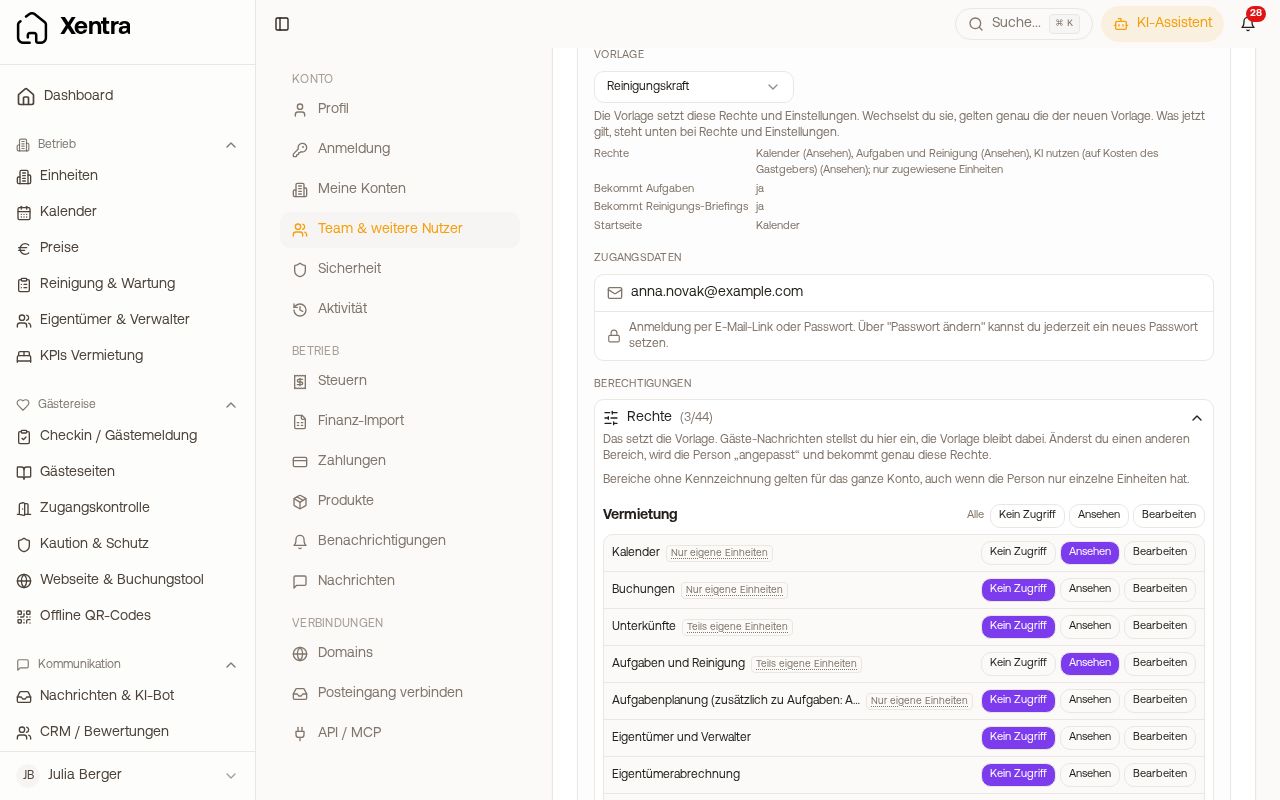 A team member's rights grid with No access, View and Edit per area
Tracing who changed what
Under Settings, Activity you see who changed what in your account: “Activity: who changed what?”.
Your data belongs to you
Through the Data API you can export your bookings, units and other data at any time, see “Data API: keys, access and documentation”. If you want your account deleted, write to hello@support.myxentra.com.